In the Night theme, the file names are barely visible.

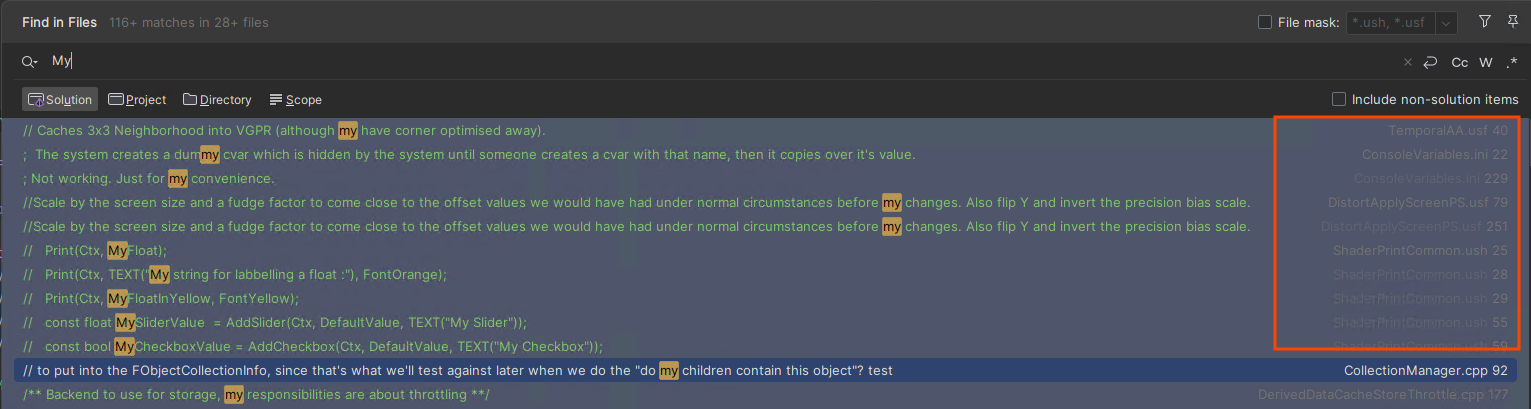
I'm using the Night theme in Rider, but when I use 'Find in Files', the file names are barely visible. Is there a solution?
Please sign in to leave a comment.
Hello baldur,
Thank you fr reaching Rider Forum.
On the screen-shot you attached colors are quite not matching to the Dark theme. Here is the same theme on my environment:
Could you please try settings another theme in Preferences/Settings | Appearance & Behavior | Appearance and change it and then return to Night again?
If that does not help, please try disabling/enabling Preferences/Settings | Appearance & Behavior | New UI checkbox.
Thank you in advance!
Hi Anna Morozyuk,
I've formatted my PC and reinstalled Rider, but the issue remains unresolved. The methods you suggested did not work.
In the case of the old UI, it looks much better:
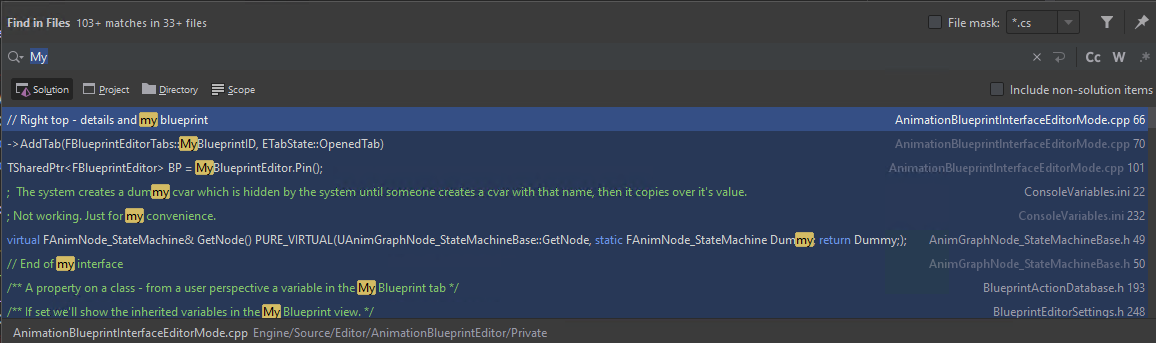
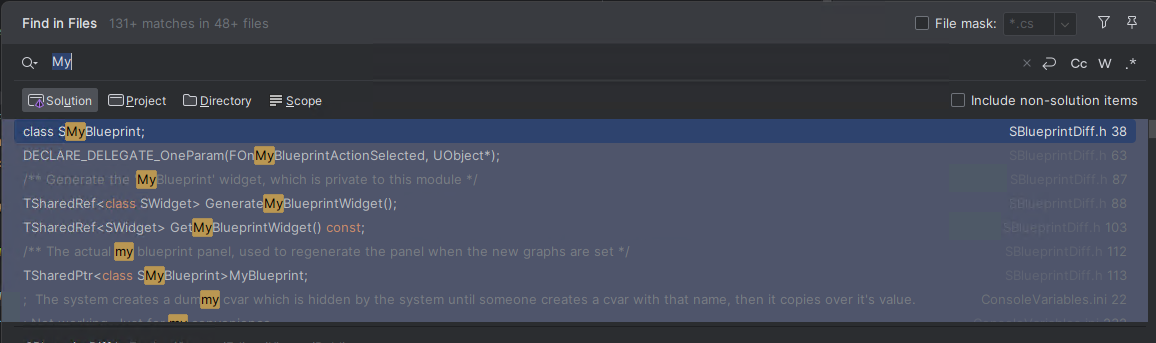
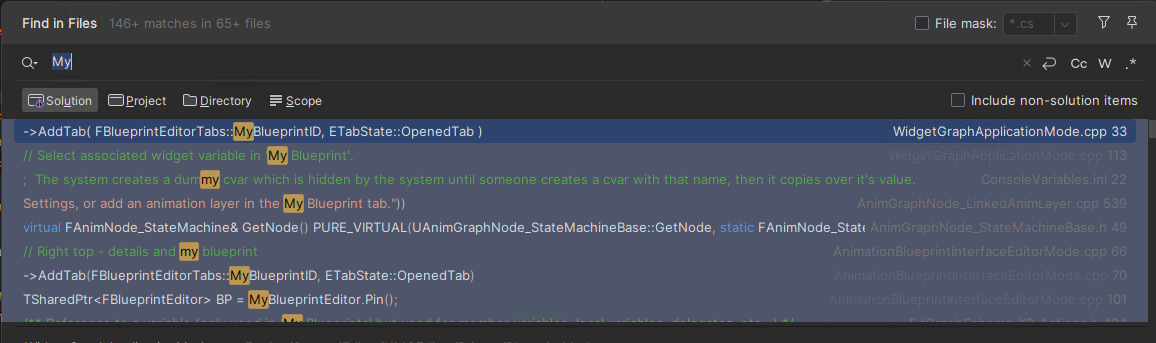
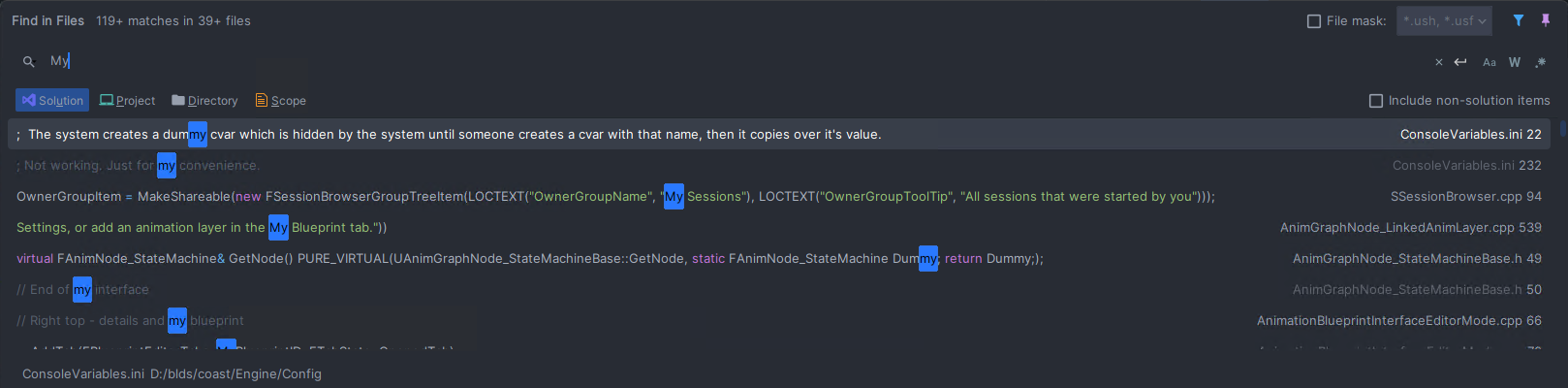
For the new UI, none of the themes are clearly visible.
(Dark Theme)
(Visual Assist Night Theme)
The Atom One Dark plugin looks fine. Is using this plugin the best solution?
Would you like help with anything else?
Thanks!
Hello baldur ,
It seems that these files might be affected by this setting Preferences/Settings | Appearance & Behavior | File Colors > Unreal Engine Files. Could you please try changing this exact settnig and let me know if the color has changed?
Thank you in advance.