rsync uploads all files and not just modified files!

Hi
How can I set Rider and rsync to upload only modified files of project?
It's an ASP.NET 7 Razor Pages project.
Dev OS: Win 11 → ssh OS: AlmaLinux 9 (RHEL)
Here's shot of my settings:

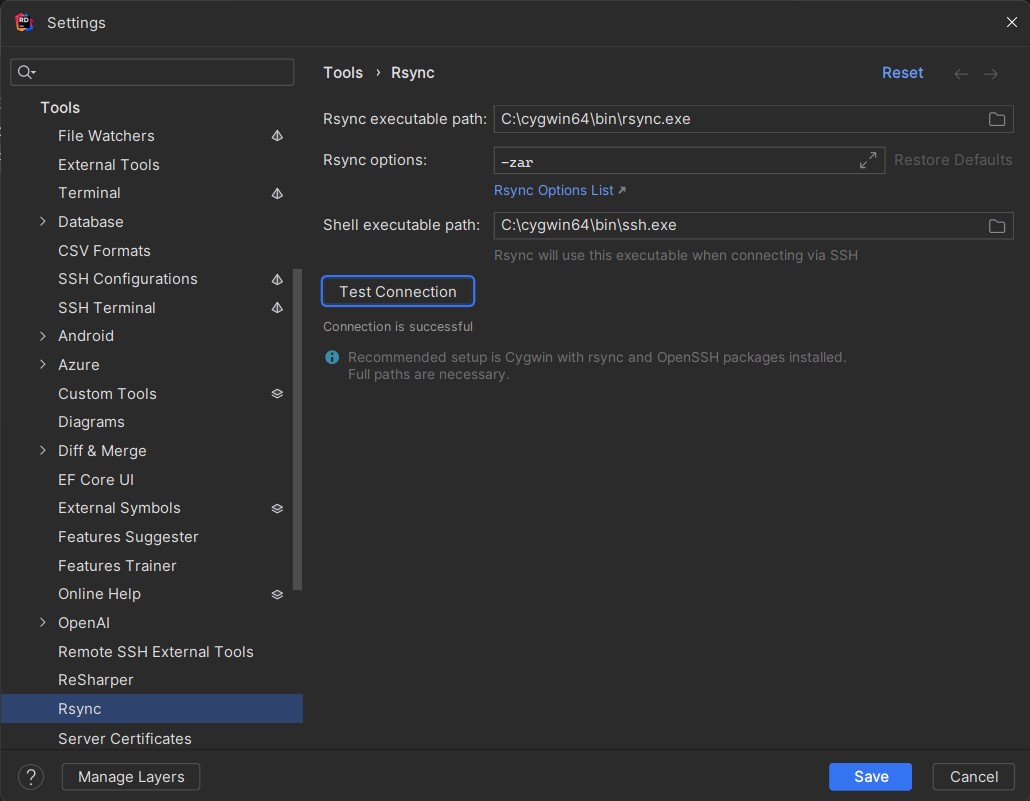
notes:
I tried -zar & -zarc parameters, but Rider uploads all the files every time!
Should I change anything in “Mappings” tab?
Please sign in to leave a comment.
Hi Hamid,
To sync up local/remote build application, you need to publish the application to a local folder and setup “Always sync up” in Rider. Publish application to remote host directly with “Publish to remote server” profile will use SFTP copy all files to remote host.
Please refer to below steps to understand the entire workflow:
1. Publish the application to local folder first.
2. Config path mapping in Deployment settings.
3. In “View | Tool Windows | Remote Hosts”, select the remote host machine, right-click on it and select “Sync with local..”
4. You will be able to sync local files and check diffs in the prompt window.
I also notice that currently you are using Windows 11 as a development machine. Currently we have an known issue on Windows that causes rsync in Rider may failed.
IDEA-332967 Run target: Unable to use the rsync in Windows (Rsync upload failed with exit code 12)
If you encountered this issue, you can workaround this issue, add a new Shell Script Run profile, execute “publish to local folder” first, and run rsync command to sync up local/remote files.
You can also try Rider remote development feature as it provides better functionalities.
Regards,
Tao
This is great but is there a way to automate the sync step so it uploads the modified files automatically after doing the publish step? Clicking over all these steps and windows is not very efficient.
Andre Pinto Once the initial setup is done, you can just click “Sync with local” every time you want to publish the local builds.
You still need to publish local build, wait for it to be done, then open the deployment tab, pick your target node (if it was not the default), right click the target node, click sync with local, a new modal opens, then press sync all. Ideally this would be automated in a way similar to the Deployment action, which publishes and deploys to target host automatically in one click.
Andre Pinto If you are using IIS on Windows Server, or using Azure WebApp to host your application, Rider is compatible with the MSDeploy. So it's a kind of host limitation here, rsync most used to transfer files between Windows and Linux servers.
I am using .NET Core on Linux, so the target host is Linux (Ubuntu).