How to cycle through all errors in all files?

I've read this part of the Rider documentation: https://www.jetbrains.com/help/rider/Design_time_Inspection.html
I have several errors in multiple files and want to cycle through them using the keyboard only.
My bindings:

Solution wide analysis is activated:

Highlight level is “Errors”
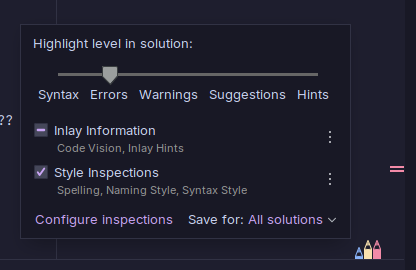
What am I doing wrong?
Please sign in to leave a comment.
The “Next Error” should perform the desired result (
Alt+Page Downin your Keymap). You could try to reassign a shortcut for this function in keymap setting.May I know if you have any problem on using the feature? No need to change the Highlight level in your files.
I've reassigned the shortcut not but still doesn't work.
I also tried assigning an explicit shortcut to “next problem file” (it inherits shortcut from “Next highlighted error”) but still doesn't work
> “May I know if you have any problem on using the feature?”
Not beside the cycling.
Alexander Zeitler Which keymap are you using? What's the newly created shortcut for “Next Error” action?
Will you see the action executed by searching “Next Error” in
Shift+Shiftquick search?I tried to reproduce the problem on both Win/Mac with latest Rider but no luck. It would be better if you could provide more details about the problem for further investigation.
Tao Sun I'm using the Visual Studio 2022 Keymap with customizations.
“Next Error” after
Shift+Shiftworks.In Settings | Keymap you will be able to find the “Next Error” action and assign a shortcut for it.
Please try with different shortcuts to ensure it will not conflict with other Rider actions or OS level shortcuts.
I assigned Ctrl+Alt+E to “Other / Next Error” and it works across all files/errors while Alt + Page Down only works within the same file.