Rider MAUI project: CSC: Error CS1508 : Resource identifier 'xxxx.App.xaml' has already been used in this assembly

I set up along this blogpost with .NET 8 SDK on my macOS(Mac Studio M2, Ventura 13.5.2):
https://khalidabuhakmeh.com/dotnet-maui-development-environment-set-up-walkthrough
I also set all MAUI environment in VS Code and it works all fine--installed Open JDK, Andoid SDK and runs fine macOS, iOS Simulator, Android Emulator.
The problem is in Rider(version 2023.3.2)
When I build with a new MAUI template that was created in Rider, 3 errors occur:
MauiApp3 (net8.0-maccatalyst):
0>appiconItunesArtwork.png: Error  : File not found: /PATH_TO_DIRECTORY/MauiApp3/MauiApp3/obj/Debug/net8.0-maccatalyst/maccatalyst-arm64/resizetizer/r/Assets.xcassets/appicon.appiconset/appiconItunesArtwork.png

MauiApp3 (net8.0-ios):
0>appiconItunesArtwork.png: Error  : File not found: /Volumes/DATA_SSD_1TB/Kyle Dev/닷넷/Projects/MAUI Tutorials/MauiApp3/MauiApp3/obj/Debug/net8.0-ios/iossimulator-arm64/resizetizer/r/Assets.xcassets/appicon.appiconset/appiconItunesArtwork.png

MauiApp3 (net8.0-android):
0>CSC: Error CS1508 : Resource identifier 'MauiApp3.App.xaml' has already been used in this assembly
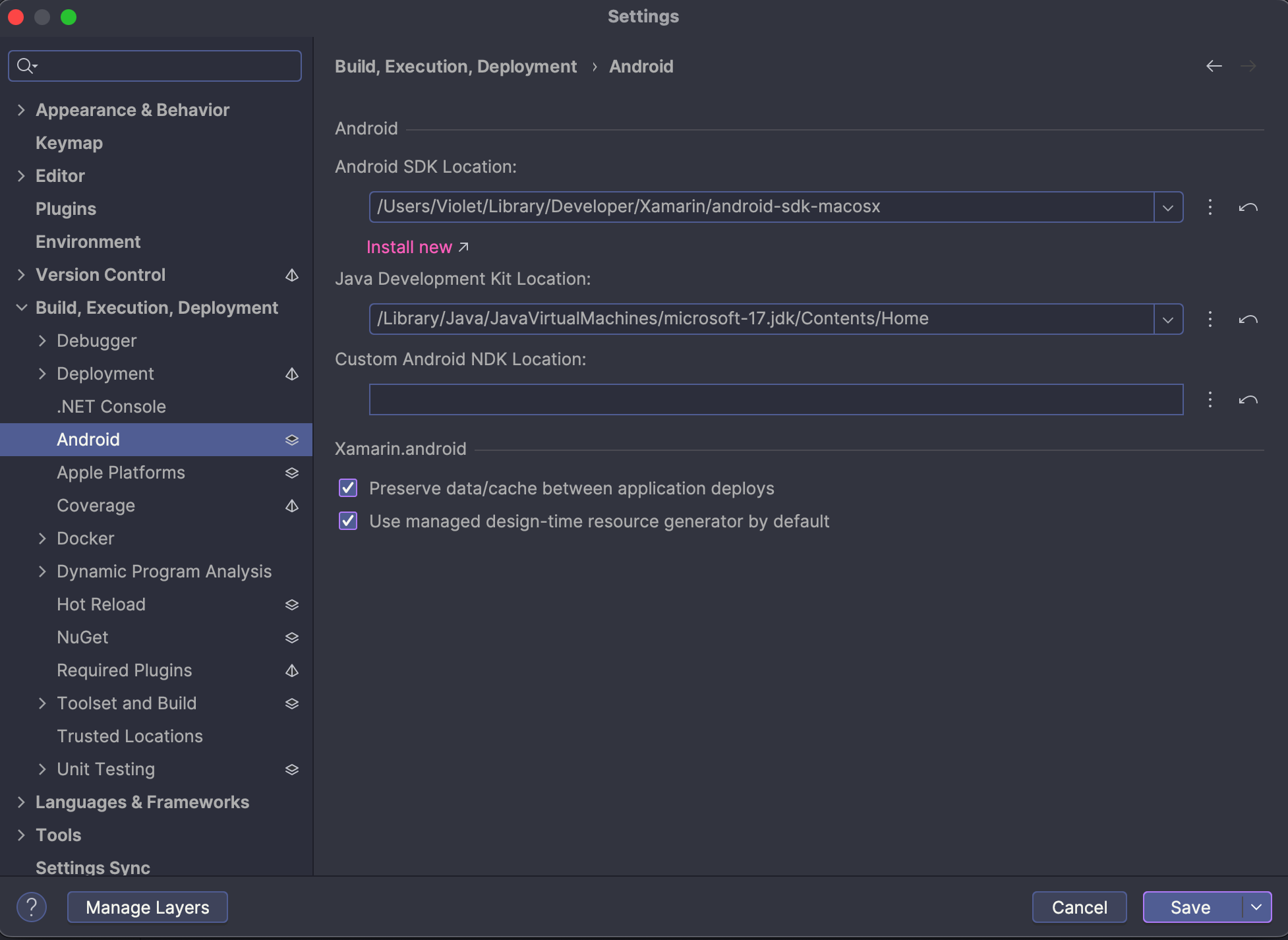
I got in Xamarin Android and iOS&mac Environment, and set the JDK, SDK location that are the same as what I did in VS Code:
Second, when I open a project that was created in VS Code, Rider complains with all files with caution icons (File does not exist in the file system):
if I run this, the iOS simulator or Android Emulator launches although it finishes immediately with exit code 130.
I really want to do MAUI Project in Rider. Would you help me please?
Please sign in to leave a comment.
Never mind the problem is now gone. I guess it was because of the name of a directory in Unicode characters in the middle of the path.