Method parameter names not showing on function mouseover

I converted from Visual Studio to Rider some months ago, but continuously stumble over this one issue.
When I am typing and reference a function of which I do not know the parameters, I am not able to hover over the function and see them. In this state, the method is underlined as erroneous, which makes sense because its necessary parameters are not entered. However, this is the time where I need to see which parameters the method needs.
Often, there is no popup showing at all, but when it shows, it shows the parameter types but not their names.
The only scenario where I see the parameter types and names is when I hover over a function that is correctly fed with parameters, showing no error - but that is not what I need when I want to know which parameters I need to enter.
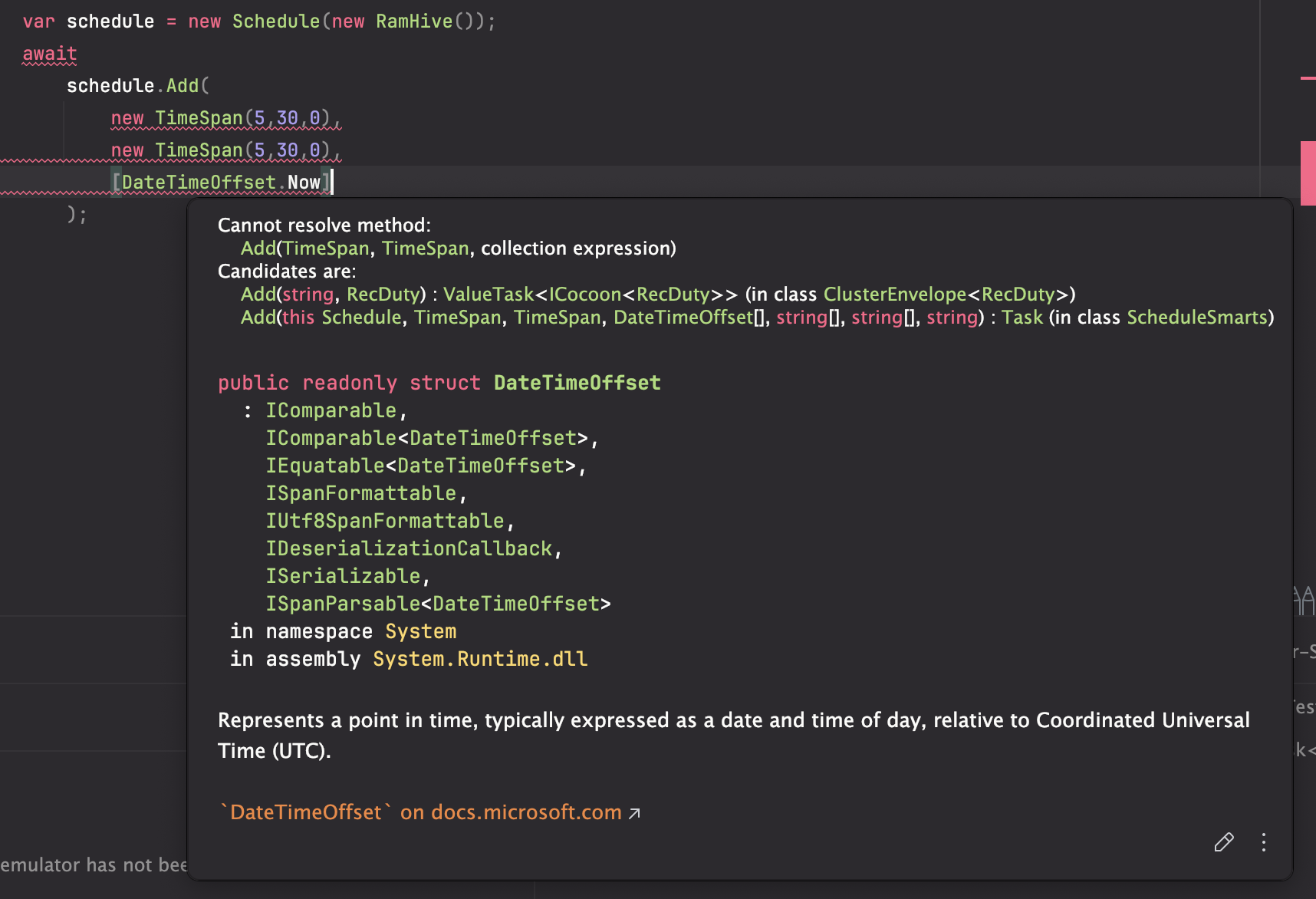
The first screenshot shows my problem: I do not know the parameter's purposes, because the candidates are displayed only with their types but not names. So I don't know what the string arrays are for.
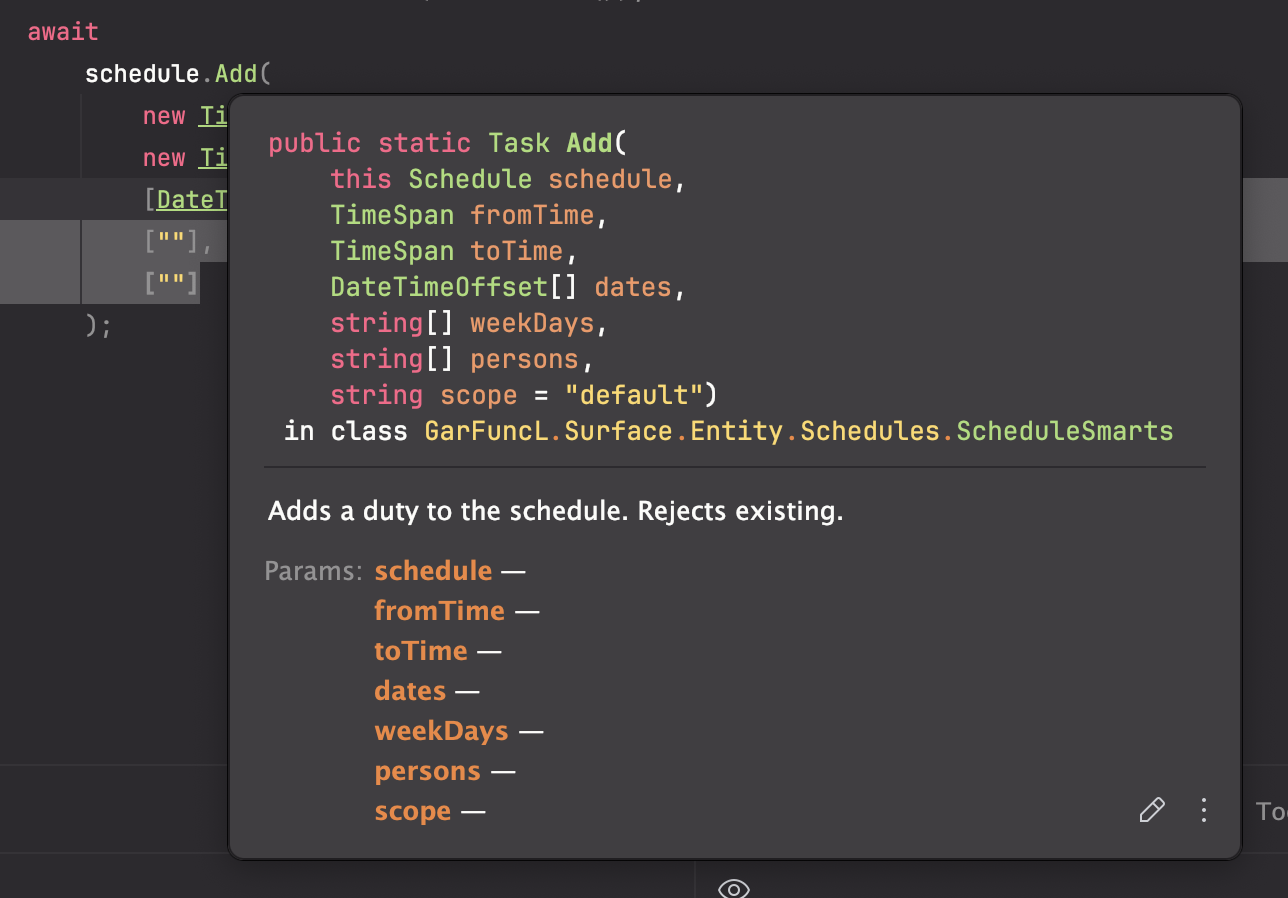
The second screenshot shows what I would need - but I get this only AFTER I filled the method.
Please sign in to leave a comment.
Hello Meerow,
Thank you for contacting JetBrains Support. I'm glad to work with you on this ticket.
For this scenario, please try either of the following and see if it meets your requirements:
,. You can also explicitly invoke it (Command + P on Mac or CTRL + P on Windows). It will list all available parameters and information:If "Parameter Info" is not working, please confirm if it's enabled via Rider Settings | Editor | General | Code Completion:
Regards,
Tom