WPF Preview is blurry and shows incorrect borders

All of my WPF previews are blurry like this, and do not correctly highlight selected items.
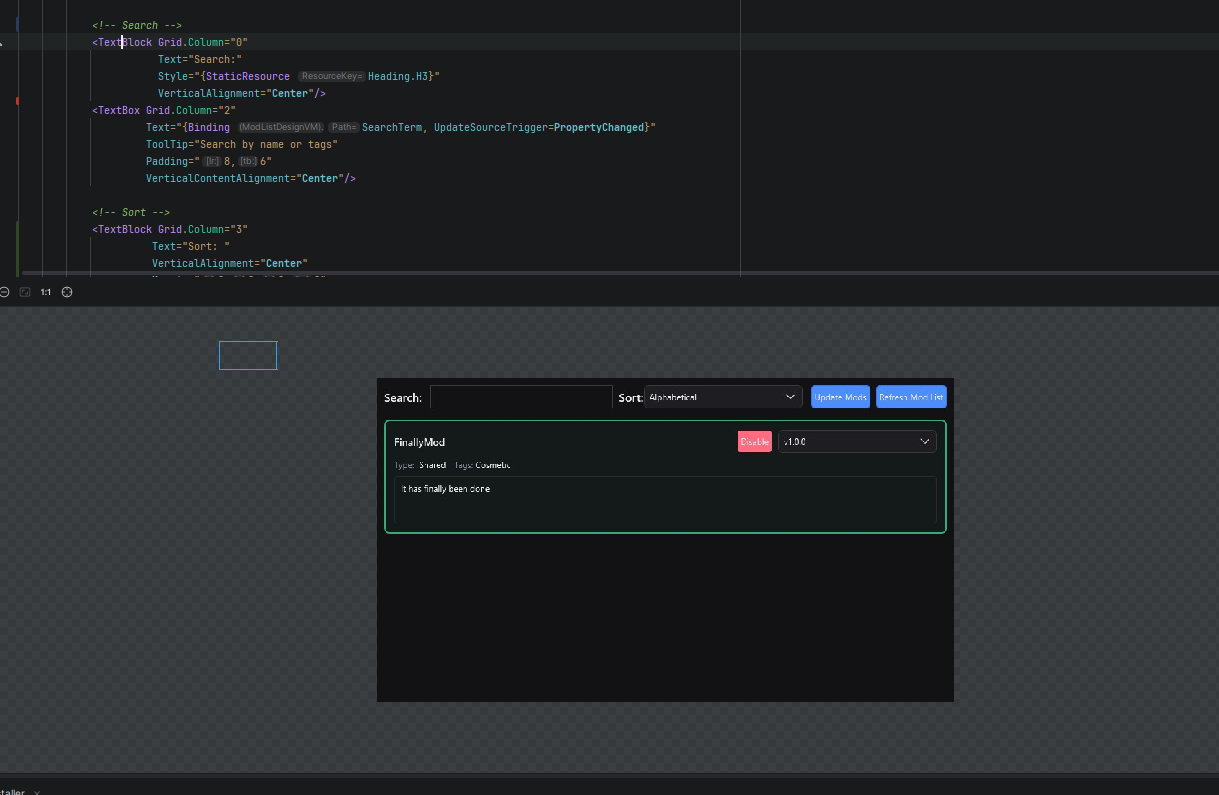
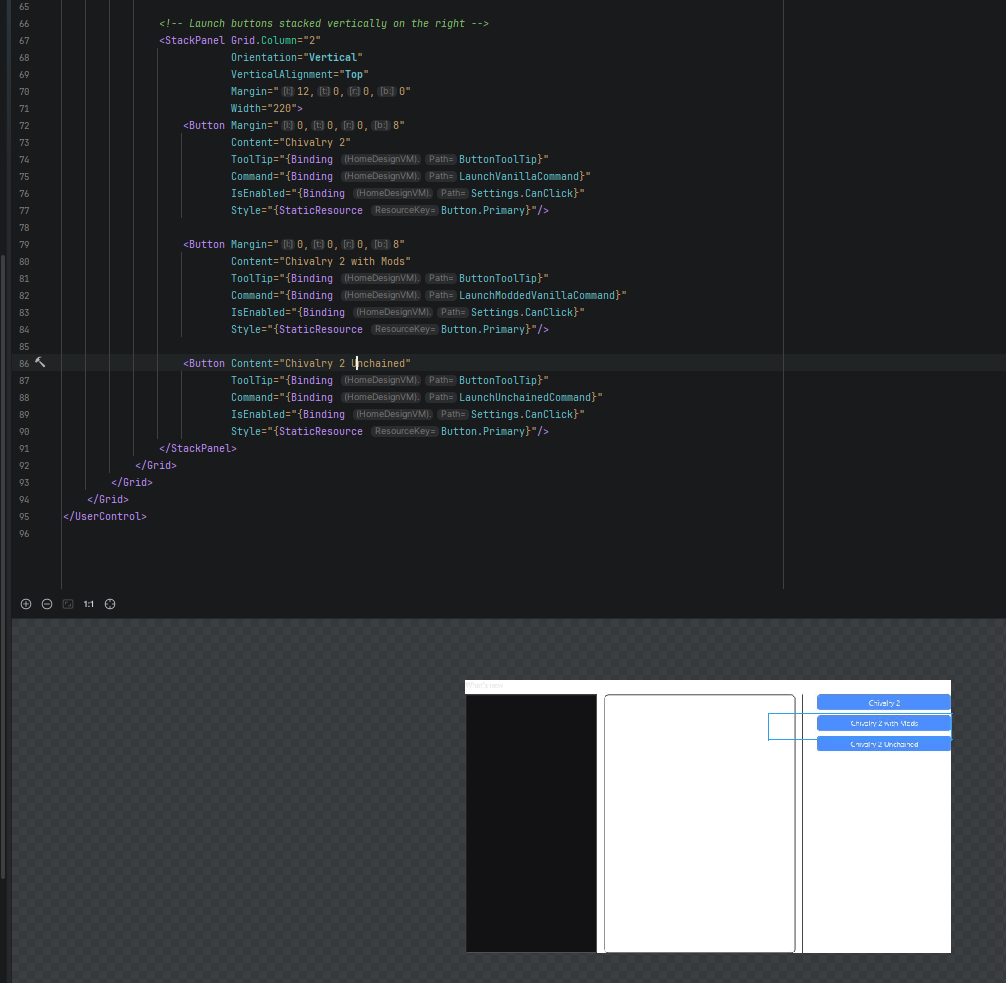
Additionally, you can see that this whole app should be dark themed (And it is), but random parts don't properly apply styles.
Please sign in to leave a comment.
Hello Jacob,
Apologies for the delayed response. To help us investigate the issue further, could you please confirm the following:
Additionally, please collect a full bundle of Rider logs by navigating to:
Help > Collect Logs and Diagnostic Data.
This will include system environment details, which can help us better understand the issue.
You can upload the files to the Upload Service and share the Upload ID.
Regards,
Tom