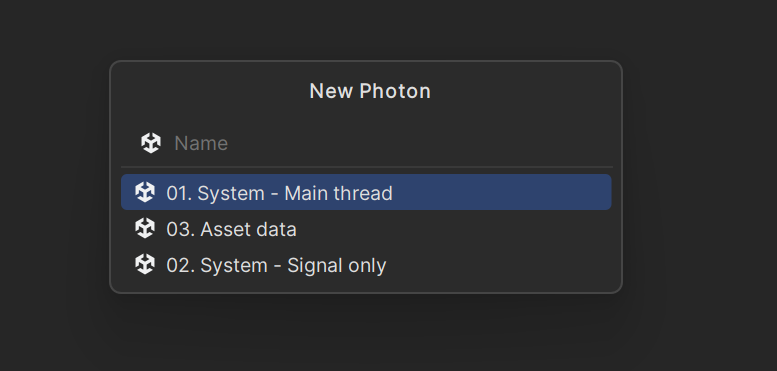
You can control the order of items within a section (language/category) of the New File / File Template menu, but you cannot change the order of the sections themselves.
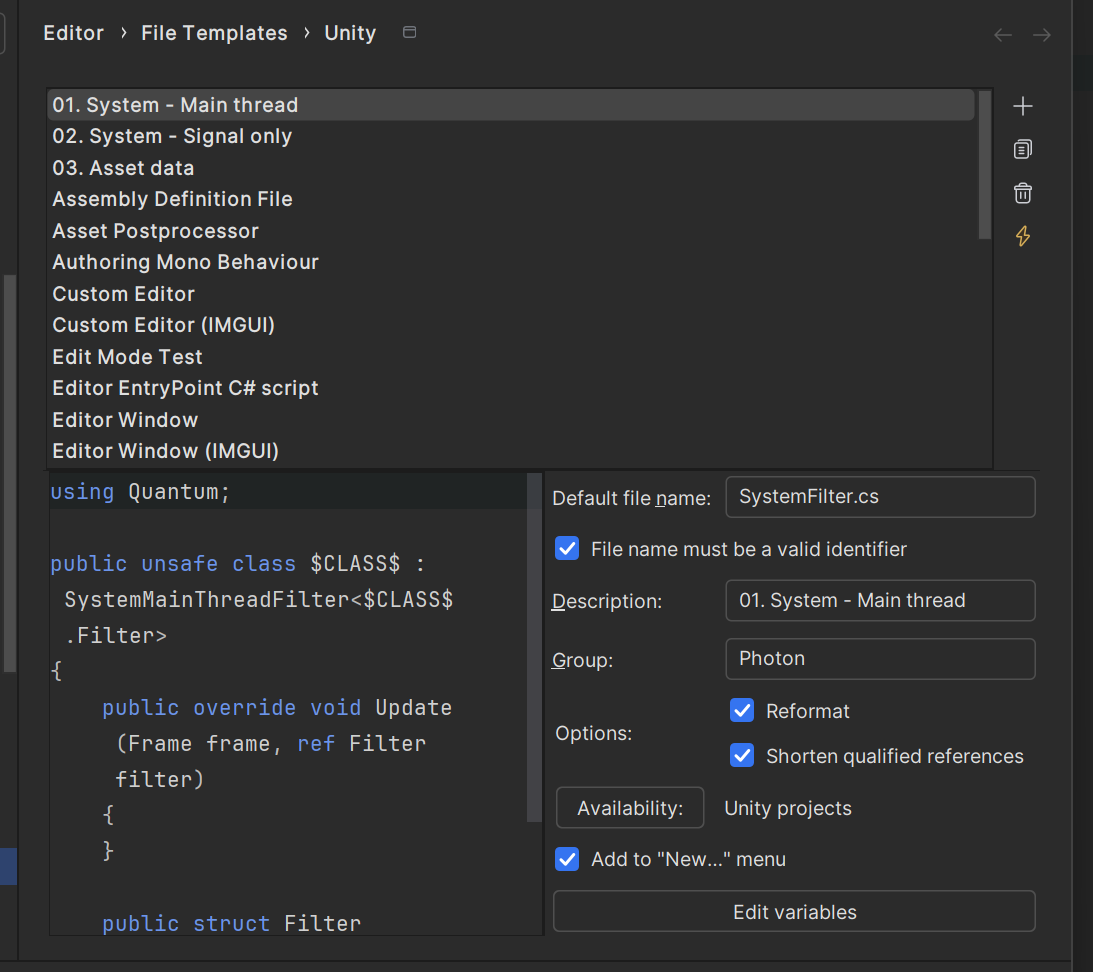
To reorder templates inside a section (e.g., Unity, C#, etc.):
Use the arrow buttons in that dialog to move templates up or down and control their order in the menu/quick list.
However, the section blocks (like Unity, C#, General, etc.) are currently fixed; Rider doesn’t let you reorder those in the “Add / New File” menu. A feature request exists for making section order configurable, but it isn’t supported yet.

Hello Joao Gavron
You can control the order of items within a section (language/category) of the New File / File Template menu, but you cannot change the order of the sections themselves.
To reorder templates inside a section (e.g., Unity, C#, etc.):
However, the section blocks (like Unity, C#, General, etc.) are currently fixed; Rider doesn’t let you reorder those in the “Add / New File” menu. A feature request exists for making section order configurable, but it isn’t supported yet.