Unable to use space bar as "Choose Lookup Item"

I am very impressed with Rider so far, and I'm trying to make it behave more closely to how Visual Studio 2022 does to ease the transition. I've gotten the vast majority of key bindings set up by now, and I'm about 90% as efficient in Rider as I am in VS, but there are some important keyboard related functionality which I rely heavily on that I just can't seem to get working.
One of the things VS does by default is to use the space bar for code completions. For example, if I'm stubbing out some methods in VS I can type `pub[space] cl[space] MyClass`, or `pub[space] virt[space] Task DoWork()`, or similar. In Visual Studio, these would produce the correct output (public class MyClass, public virtual Task<int> DoWork()). In Rider, however, the space bar itself does not accept the current suggestion even when it's assigned to any of “Choose Lookup Item”, “Choose Lookup Item And Replace”, or “Call Command Completion”. Additionally, semicolon does not seem to accept the current suggestion either, even if I add semicolon as another key binding to “Call Command Completion” (example: in VS2022 I can type `{ g; s; }` for properties, and VS will automatically replace `g` with `get` and `s` with `set` from the completion list, but Rider does not do this.
I understand there is a `prop` snippet which can do all of this for me, but I should be able to achieve what I want without relying on a snippet/Live Template.
It feels like I've spent more time experimenting with these keyboard shortcuts than I have writing code so far, and it's gotten a bit frustrating. I can achieve the desired behavior by using Tab instead of Space, but Space is my preferred action and should be allowed to work since it's just a key binding.
Am I doing something wrong here? Do I have a conflicting setting preventing the desired behavior, or is this just how Rider works and there's nothing I can do about it?
Here are my current key bindings associated with both the [space] and [tab] keys (Choose Lookup Item does not have Tab in this screenshot):
Space Key Bindings:
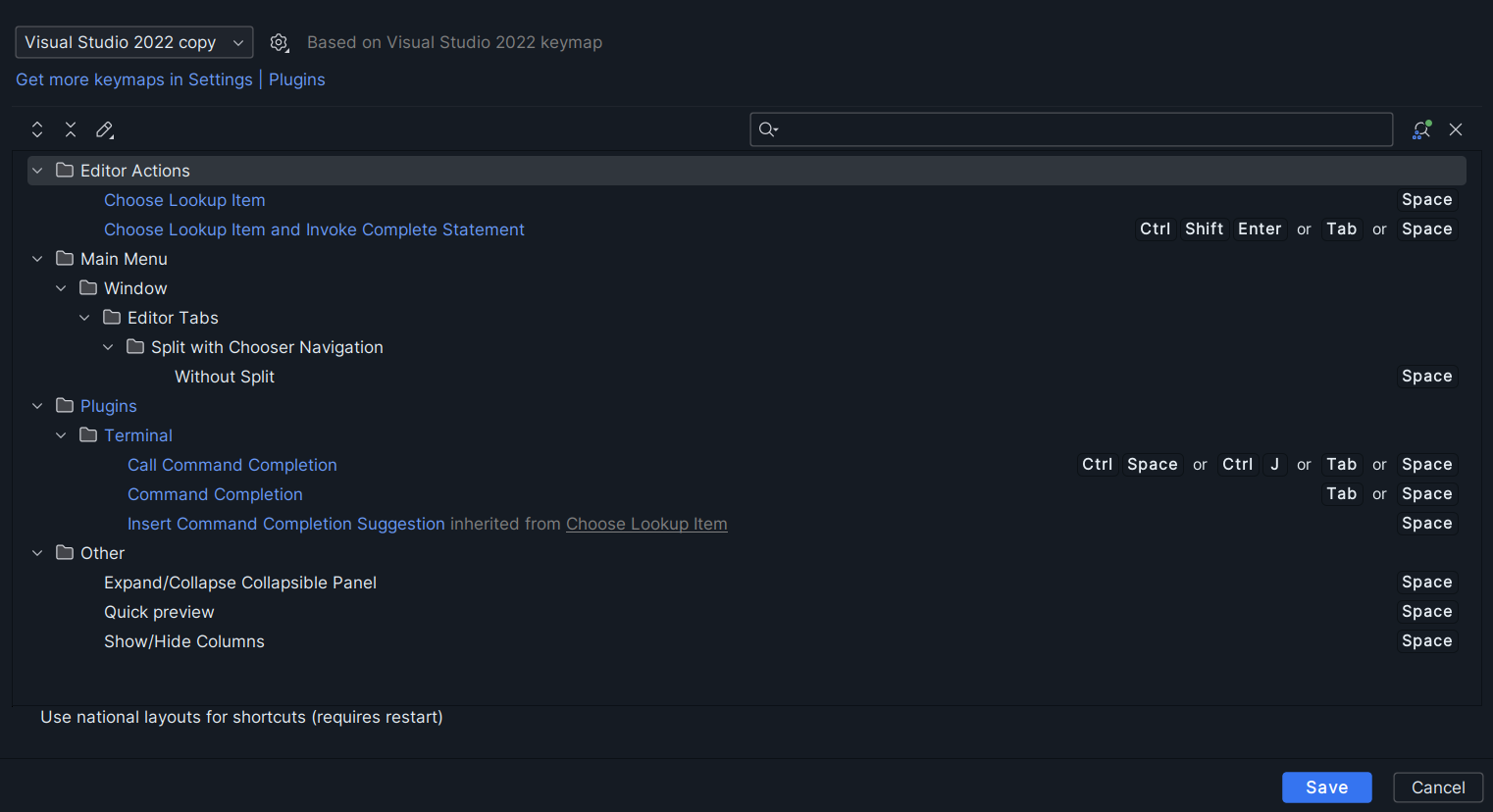
Tab key bindings:

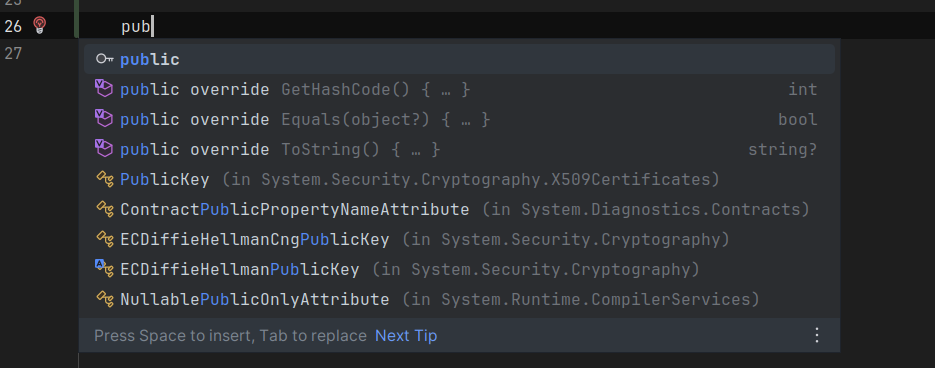
When I start typing a keyword and see the suggestion window, I do see “Press space to insert”, however pressing space doesn't actually insert like it should. If I type space here I end up with a red half token called “pub”.
Please sign in to leave a comment.
Update: I managed to solve this but wanted to leave a solution in case anyone else struggles with this in the future. A combination of adding Space as a key binding, disabling the “Space inserts suggestion” setting and enabling the “Preselect the best match” setting (this most likely works because now the suggestion window gets focus while I'm typing). While not perfect, it's gotten me closer to VS2022's behavior which should make Rider even more pleasant to use now.