iOS Provisioning Profile only sees my Development Cert

I'm running into the weirdest problem that has been effecting me for the last few days as I have tried to put my .NET Maui app into the Apple iOS App Store. This isn't a maui specific issue, or a rider specific issue, but I need to get some help on this and I don't know where else to turn. StackOverflow hasn't been much help and neither has Google. This is all based on what I think it happening.
-
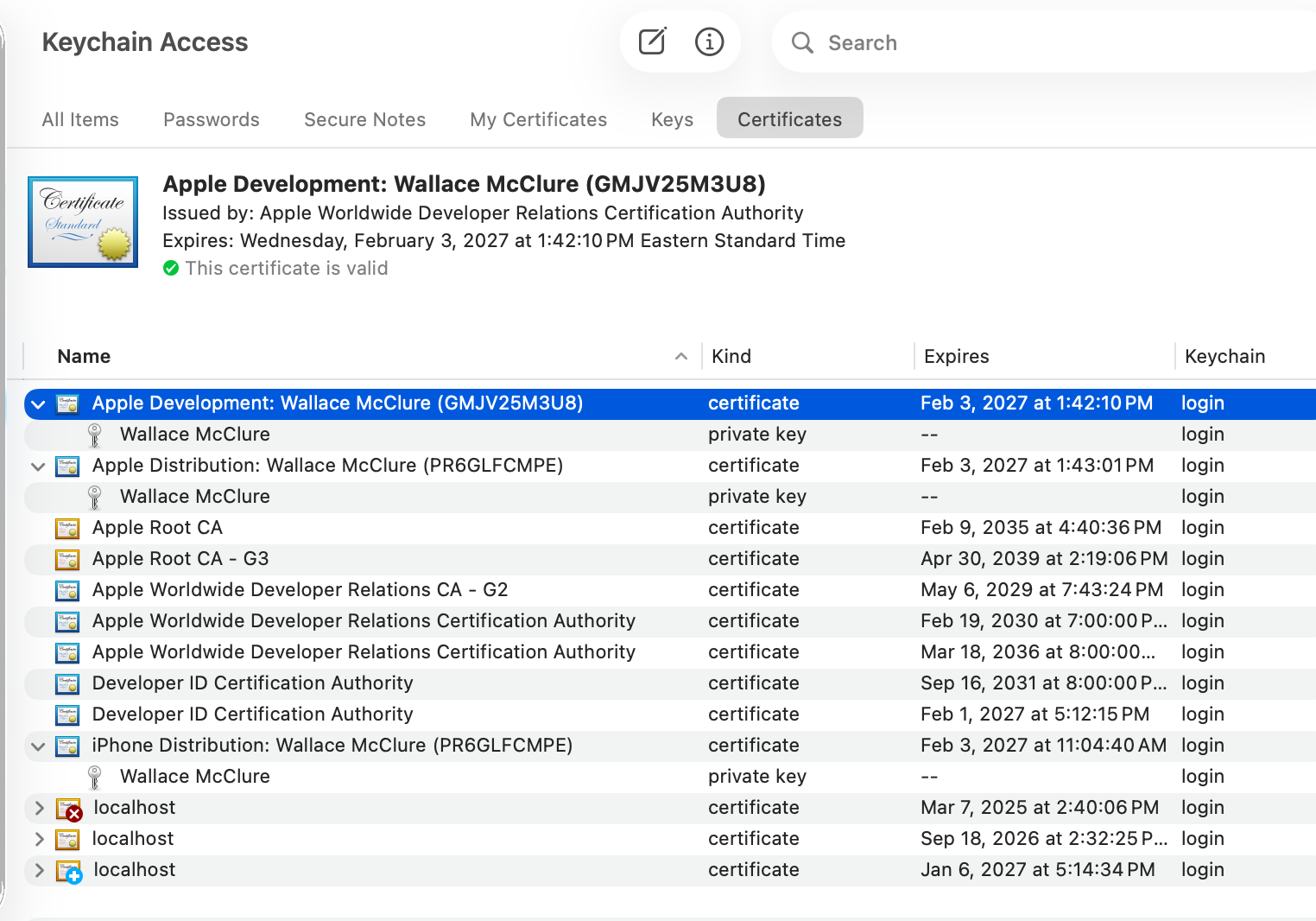
I have created two certificates, one for development and one for distribution. I have downloaded and I see them in the keychain. In fact, I see an Apple Distribution cert and an iPhone Distribution cert in my keychain.
-
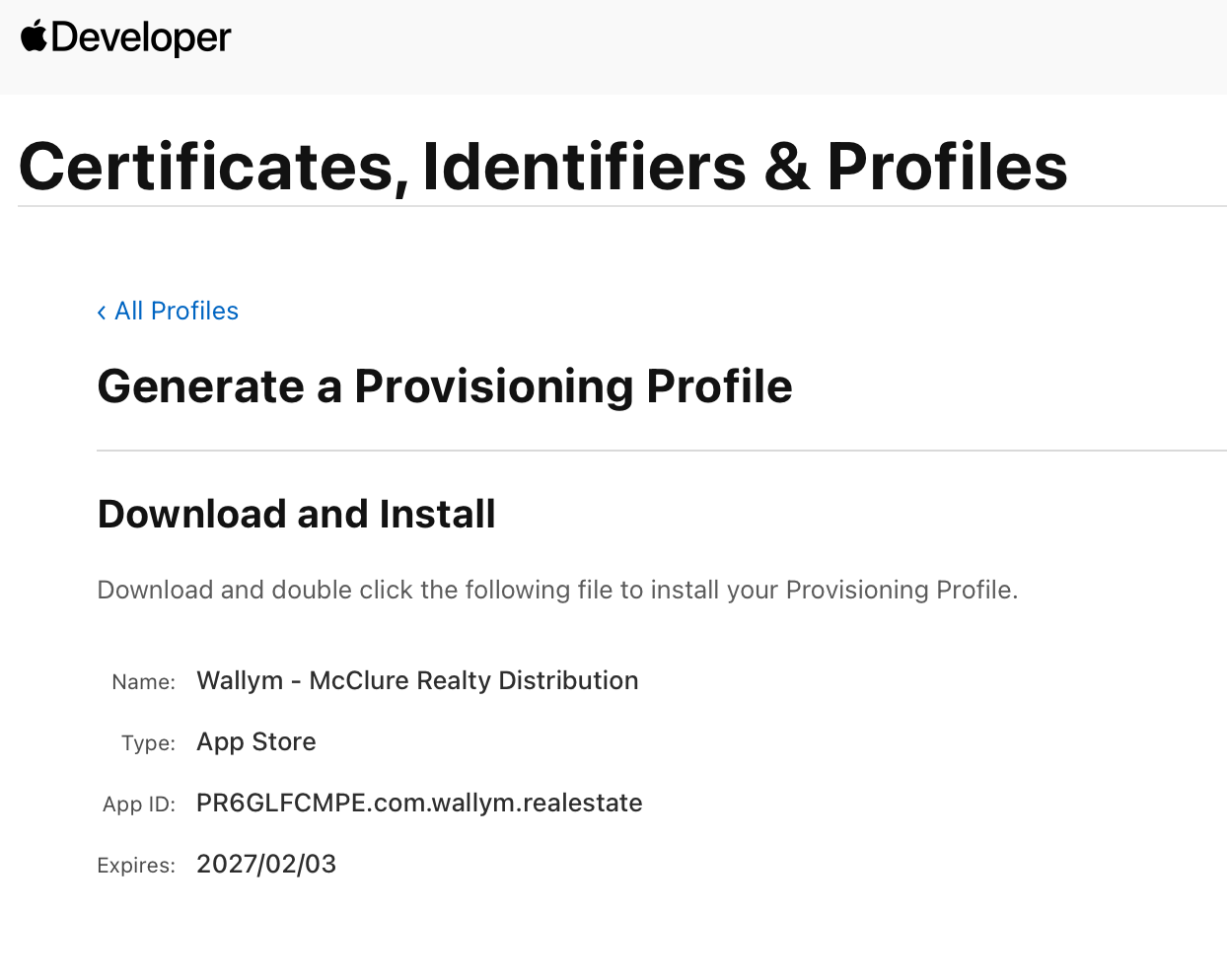
I have a provisioning profile setup for distribution.
-
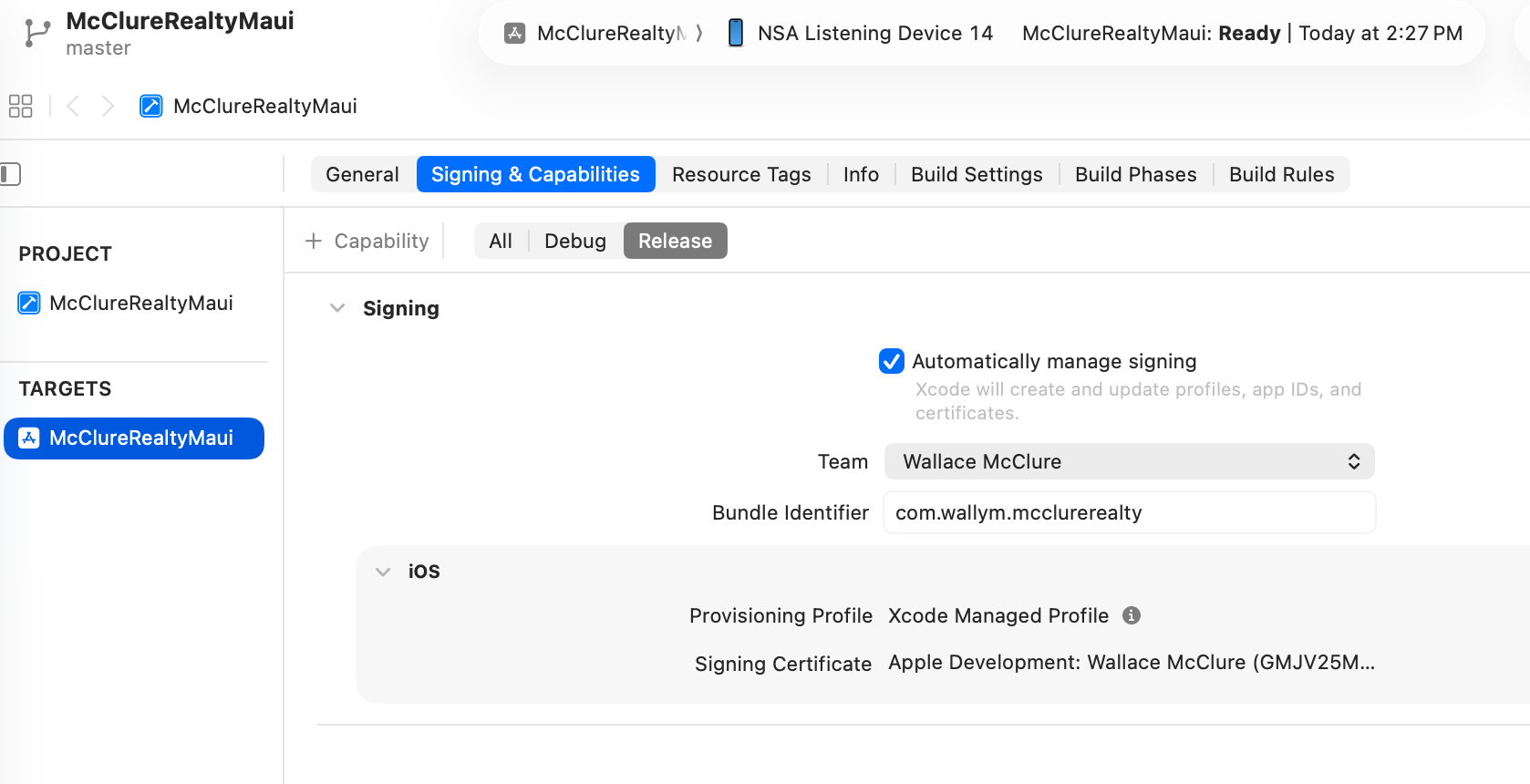
I have set my bundle identifier in xcode, I've done stuff in my info.plist file. Unfortunately, no matter what I do, I always seem to get the signing certificate as my developer cert. I've pulled about half of my hair out over this. I've deleted my certs and recreated them. I've deleted provisioning profiles and recreated them. I've tried to create new provisioning profiles.
- The ultimate error that I get when I try to upload via transporter is:
Invalid Provisioning Profile. The provisioning profile included in the com.wallym.mcclurerealty bundle [Payload/McClureRealtyMaui.app] is invalid. [Missing code-signing certificate]. A distribution provisioning profile should be used when uploading apps to App Store Connect. (ID: eb49960c-9ef0-4e96-a3f4-3e16a171178c)
Any idea what I should be doing? TIA
Please sign in to leave a comment.
Hello Wallace B Mcclure
From your screenshots, the certificates and App Store profile are fine. The problem is that the bundle ID you build with doesn’t match the App Store profile, and Xcode is still using a development profile for Release.
com.wallym.mcclurerealtywith an Apple Development certificate and an Xcode Managed Profile.com.wallym.realestate.To fix it:
com.wallym.realestateorcom.wallym.mcclurerealty).Apple Distribution: Wallace McClure (…)Then rebuild the Release archive and upload again; the transporter should accept it.