Hi, in newer versions of Rider, there isn’t always a separate Apply button in that dialog, which can definitely be confusing. In my case, clicking the Save button enabled the Settings Sync successfully.
To help us investigate why this isn’t working on your side, could you please collect the full IDE logs bundle in Help | Collect Logs and Diagnostic Data?
Hey man, sorry for late to answer, here the logs → Upload id: 2026_02_25_nvbypAaXarnoEhAgu7j5ck (file: rider-logs-20260225-1054384424135977876426921.zip)
Joao Gavron, thanks for uploading the logs. In the logs, Settings Sync disables itself because the local Settings Sync storage is corrupted:
2026-02-25 10:53:59,835 [  36163]   WARN - #c.i.s.c.GitSettingsLog - Error reading a note assigned to commit
org.eclipse.jgit.api.errors.JGitInternalException: Object is corrupt: invalid type
2026-02-25 10:53:16,283 [2531394] SEVERE - #c.i.s.c.SettingsSyncBridge - Couldn't apply settings. Settings sync will be disabled.
org.eclipse.jgit.api.errors.JGitInternalException: Object is corrupt: invalid type
This explains why clicking sync actions don’t proceed.
We can try this workaround:
Close Rider
Go to: C:\Users\<username>\AppData\Roaming\JetBrains\Rider2025.3\

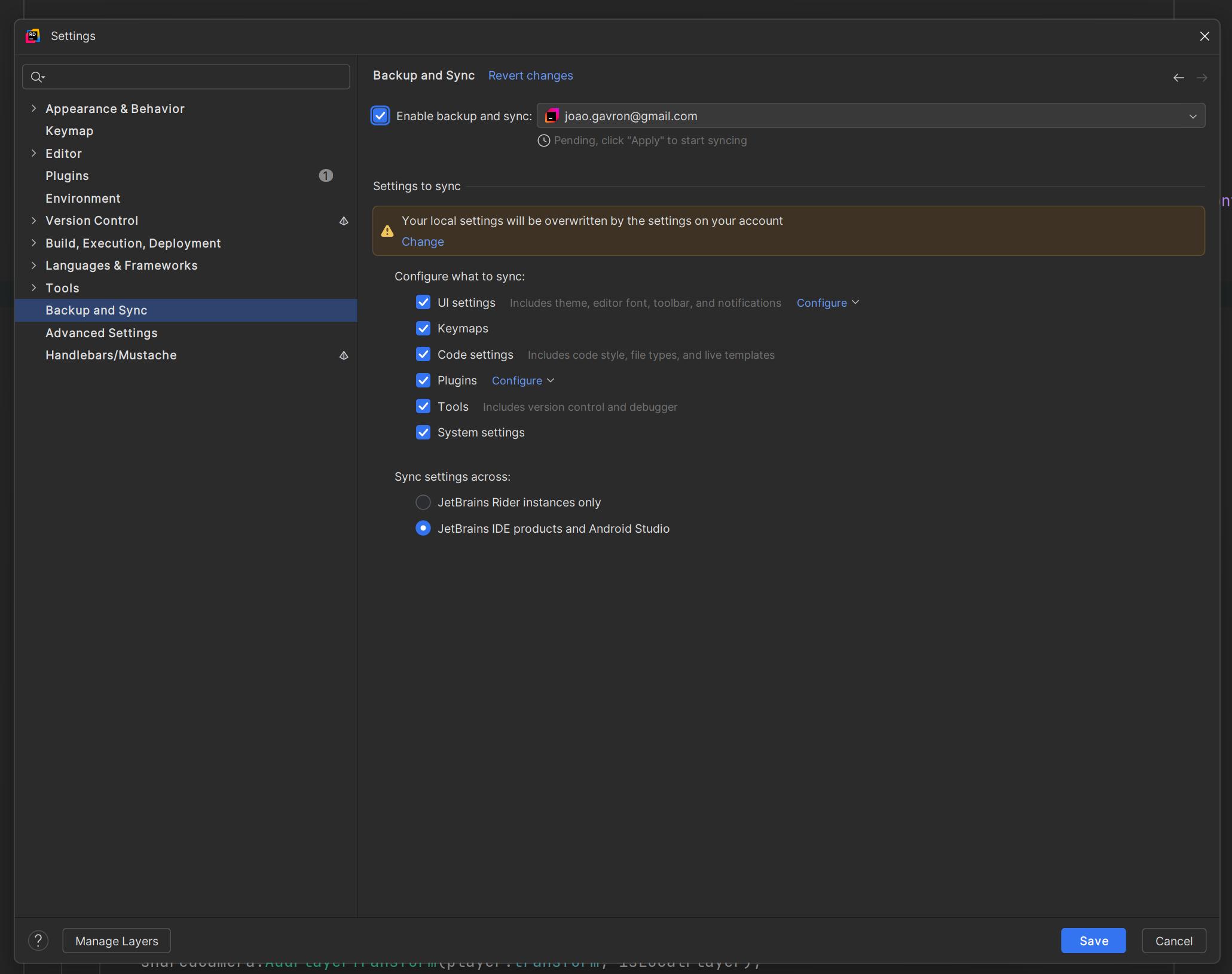
Hi, in newer versions of Rider, there isn’t always a separate Apply button in that dialog, which can definitely be confusing. In my case, clicking the Save button enabled the Settings Sync successfully.
To help us investigate why this isn’t working on your side, could you please collect the full IDE logs bundle in Help | Collect Logs and Diagnostic Data?
Then upload the archive using our Upload Service:
https://uploads.jetbrains.com
Once uploaded, please share the upload ID with us.
Thank you for your cooperation!
Hey man, sorry for late to answer, here the logs → Upload id: 2026_02_25_nvbypAaXarnoEhAgu7j5ck (file: rider-logs-20260225-1054384424135977876426921.zip)
Joao Gavron, thanks for uploading the logs. In the logs, Settings Sync disables itself because the local Settings Sync storage is corrupted:
This explains why clicking sync actions don’t proceed.
We can try this workaround:
C:\Users\<username>\AppData\Roaming\JetBrains\Rider2025.3\settingsSyncPlease let me know if it helps.
Worked like a charm, thx
Joao Gavron, glad to hear that I could help. Please feel free to reach out to us if you have any questions. We’re always happy to help!