Engine classes in Rider

I have 2 issues with Rider when developing on UE5 and using Linux and I'm probably doing something wrong, but here we go.
Issue 1, can't search engine classes:
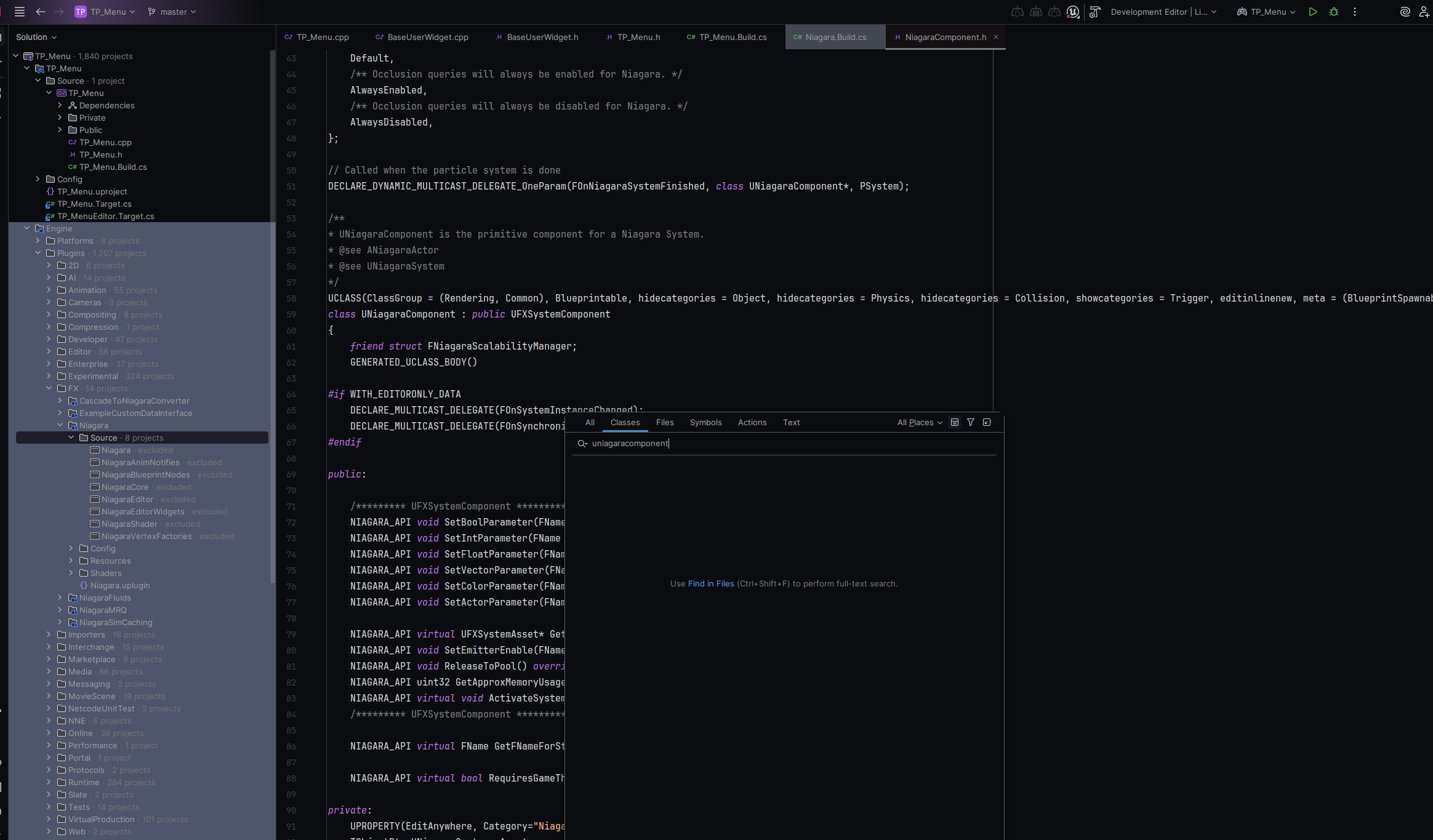
The file exists in the engine, the engine is seemingly open, but the directories say excluded and i cant search through the classes.
Issue 2, can't extend engine classes:
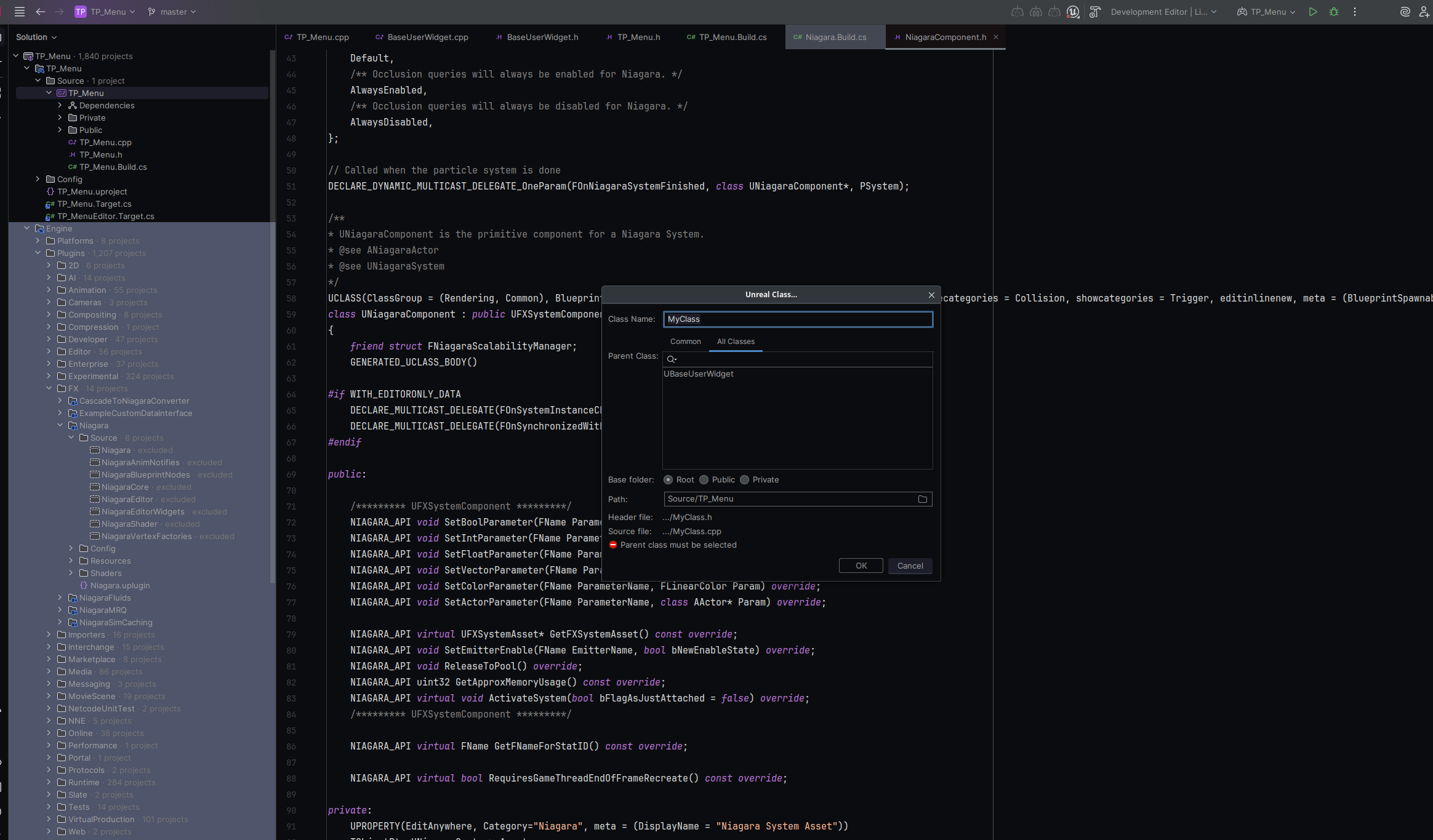
In all classes tab, when creating a new class i only get project classes, not engine classes to choose.
Any idea on what I'm doing wrong? I'll happily provide more info if necessary.
Please sign in to leave a comment.
Small update on this for anyone else that has this problem. I had Rider link already installed, but a plugin called “Rider Integration”, was not turned on. I turned that on, then in unreal engine editor went to: Edit → Source Code → Source Code Editor and set that to Rider.
Before turning off the editor i created a new C++ class from within it, and then turned it off and went to the Project directory and deleted these directories: Binaries, DerivedDataCache, Saved and Intermediate
Then i opened the project in Rider and went: File → Invalidate Caches (clicked on first 3 checkboxes)
Restarted Rider and it works now. Not sure which one of these steps did it, but one of them definitely did. That also fixed it for all other projects.
Thank you for sharing your experience with us. I am glad to know that the solution was found. Is it a public repository I could take a look at?