Issue with type dependency diagram not working

On my company laptop the type dependency diagram shows no classes can be added
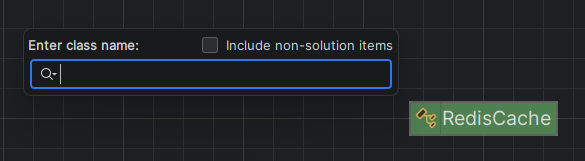
If i right click the class and add all referenced types, it will only add built in types like Object etc.
This might be an issue with some security feature of the work computer, however I'am not sure how to go about finding the core of the issue.
I tried the same on a personal linux installation, where the search also was not working:
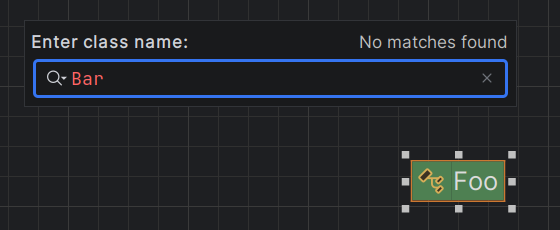
(though right click > add all referenced types, will add Bar class to the diagram)
So I'am not sure I understand this feature correctly, but it would be awesome to analyze code inside Rider, instead of having to draw it out on a paper.
Thanks in advance for any help
Please sign in to leave a comment.
Hello Stepan,
Thank you for reporting the issue. I registered this bug on our tracker: RIDER-137140 "Add class to Diagram" doesn't find classes. Developer will take a look.
Meantime, I see the diagram builds on its own when you open it for a project. Would you mind trying this:
The diagram should get generated automatically.
Have a nice day!