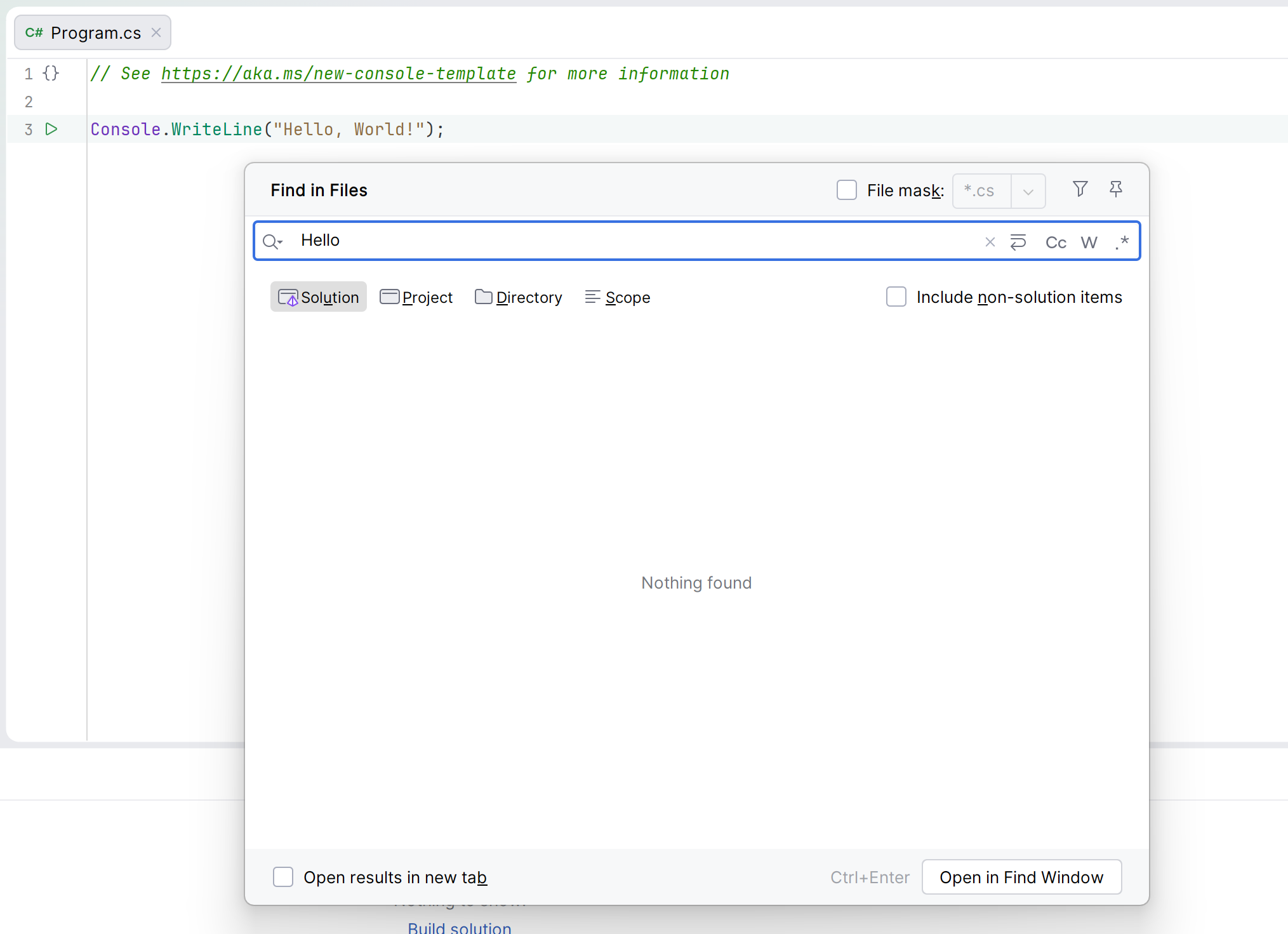
Find in files does not working

After updating to Rider 2026.1, the "Search in Files" feature stopped working.
I tried clearing the cache, deleting the .idea folder, restarting the IDE, and rebooting my system, but the search still doesn’t work.
Build #RD-261.22158.335
Please sign in to leave a comment.
Hello Radmir Tagirov ,
Thank you for reaching Rider Forum.
Could you please reproduce the issue, collect logs from Help > Collect Logs and Diagnostic Data and upload it to our shared storage at https://upload.jetbrins.com and share the ID?
I had the same problem. Rolling back to version 2025.3.4 helped.
Very similar to https://youtrack.jetbrains.com/issue/RIDER-132487
Hello Progr404 ,
Could you please let me know if the workaround from this issue helped?
If not, please reproduce the issue, collect logs from Help > Collect Logs and Diagnostic Data and upload it to our shared storage at https://upload.jetbrins.com and share the ID.
Anna Morozyuk that upload link doesn't work. Even if I correct your spelling, upload.jetbrains.com still doesn't resolve
I'm also having this frustrating issue. Find in files just hands. Had to swap over to vscode. Unable to upload logs
Build #RD-261.22158.394, built on April 9, 2026
Edit: I did a reinstall using the tool my work uses to roll software out. That install seemed to fix it, despite being the same version.
Sorry for the inconvenience.
It should be https://uploads.services.jetbrains.com/ and share the ID.
Looking forward to hearing from you soon.
In my case disabling “Full Line Code Completion” plugin helped
I had this problem in CLion 2026.2.0.1 on Fedora, and disabling “Full Line Code Completion” and “AI Assistant” plugins “fixed” it for now.
Also had the problem with CLion 2026.2.0.1 on Linux, seems to have gone away after moving to 2026.2.1 … fingers-crossed!