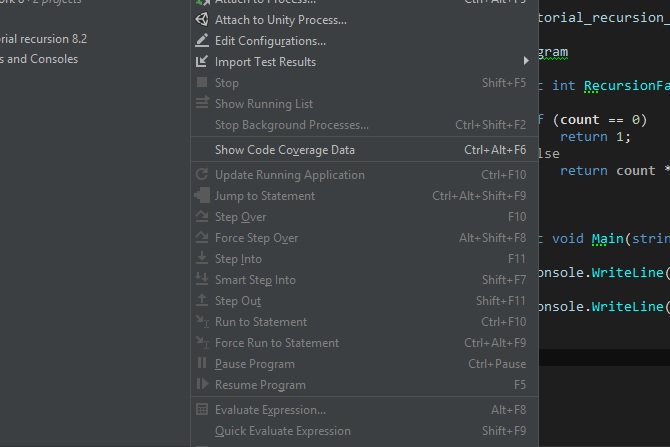
Is Rider does not go "to step" on a code as in VS (F11).
Answered

When I installed Rider and started writing code in it, I noticed at a certain point that when debugging, I cannot walk along drains in the studio using f11, how can I set it up?
Please sign in to leave a comment.
Hi,
you can use Visual Studio keymap or redefine keyboard shortcut in
File | Settings | Keymap
Maybe I did not put it correctly, but the point is not that the buttons do not work or not. I initially installed the chosen preset visual studio and the buttons are as it should. The problem is that they are simply not active. If you pause during debugging, then you can press the buttons, but the same F11 instead of moving to the next line with debugging will simply continue to run the program as usual.