Problem to find specific project/repository in local tfs over azure devops services

Hello,
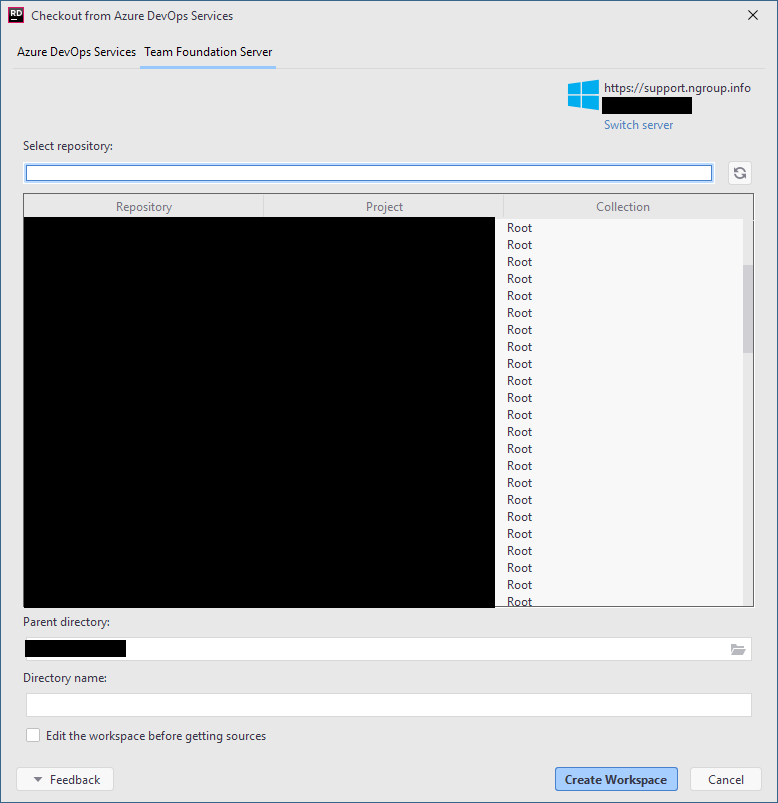
with the last rider update, where was no support for the old way to connect to the tfs. So I switched to azure devops. But now I don `t see all the reposetories that we have on our server. I tried to find out what are the similarities why some are in and some are not. But I did not found anything. I would be very pleased if somebody could help me. The project i mainly work is not in the list, so i cannot use Rider to work on. Hiere a screenshot from the position where i stuck:
Greetings
Alexander Kranz
Please sign in to leave a comment.
Hello. From the screenshot, looks like you have many projects. I have a hypothesis that the Azure DevOps plugin works with batching collection API incorrectly: it looks like it only asks for the first project batch, and ignores everything else.
First of all, we need to confirm this hypothesis. Could you please open a YouTrack issue and upload your IDE logs (Help → Collect Logs)? We're logging the loaded project count, that could sched some light: if count of the projects you see is suspiciously round, then probably you have this issue, and we could try to reproduce the same by creating N+1 projects in our lab, and then look for a fix.
Thanks in advance.