Get rid of line breaks after class fields with attributes
Answered

I can't find any setting to prevent this:

From getting autoformated to this:
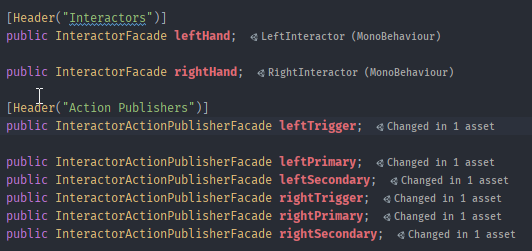
Is there a way to turn of the line break after the fields with attributes, but keep all the other attribute formatting?
Please sign in to leave a comment.
Hello Helge,
Please check setting for Preferences | Editor | Code Style | C# | Blank Lines | Blank lines in declarations | Around field, try setting it to 0. Let me know if that helps.
Amazing that did it without breaking anything else as far as I can tell. Thanks a lot for the quick reply.
Thank you Olga Diakonova . It was important for me.