c# style in rider

HI:
When i created a simple dotnet core web api project, the code style looks like in the following. But if the project was created in vs code, it will look like the second picuture. so i use option+comand +L to format the code, but it does not make any changes. so i was wondering how to set the c# styple such that it will format the code to become like 2nd picture. 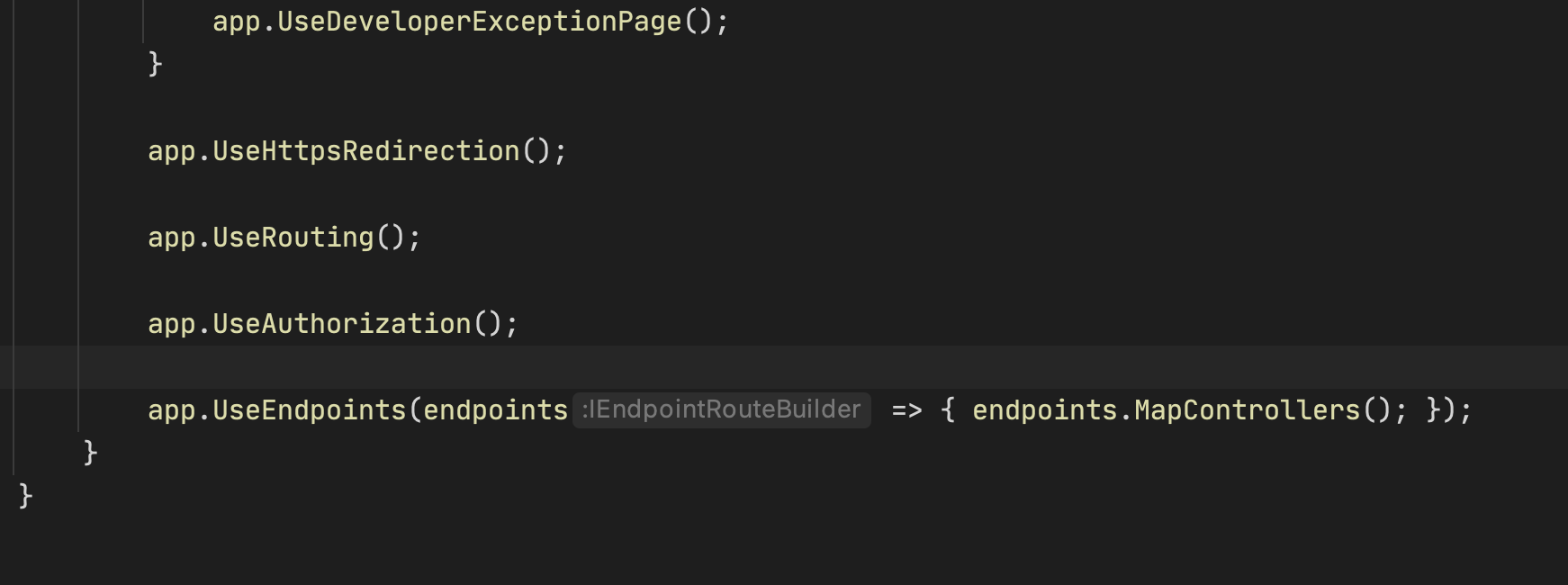
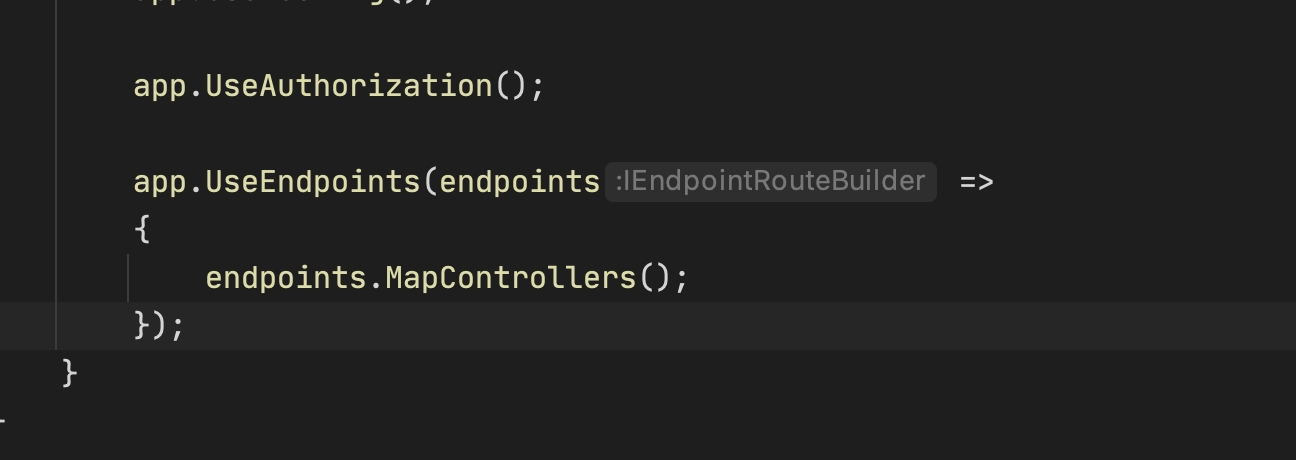
Please sign in to leave a comment.
Hello,
The easiest way to configure this style is by using the "Detect format selection" feature.
Select the whole statement
Press Alt+Enter -> In the opened menu find `Format Selection / Detect Formatting Settings` and call this action. Then you will see an opened dialogue with the all changed settings. Press the save button and check if option+comand +L started to behave as desired.
Please let me know if this can help.
HI:
wondering what version of rider you are running , i am runing version 2020.2.4, but i can not see the option
Hi,
I'm sorry for not answering for your Rider version. Indeed, this feature is now available in Rider 2020.3EAP (https://www.jetbrains.com/rider/nextversion/).
HI Sofia:
Thanks. By the way, do you know when is the Rider 2020.3 final release date?
Cheers
Jason
It is going to be next week.