Can't change inspection severity

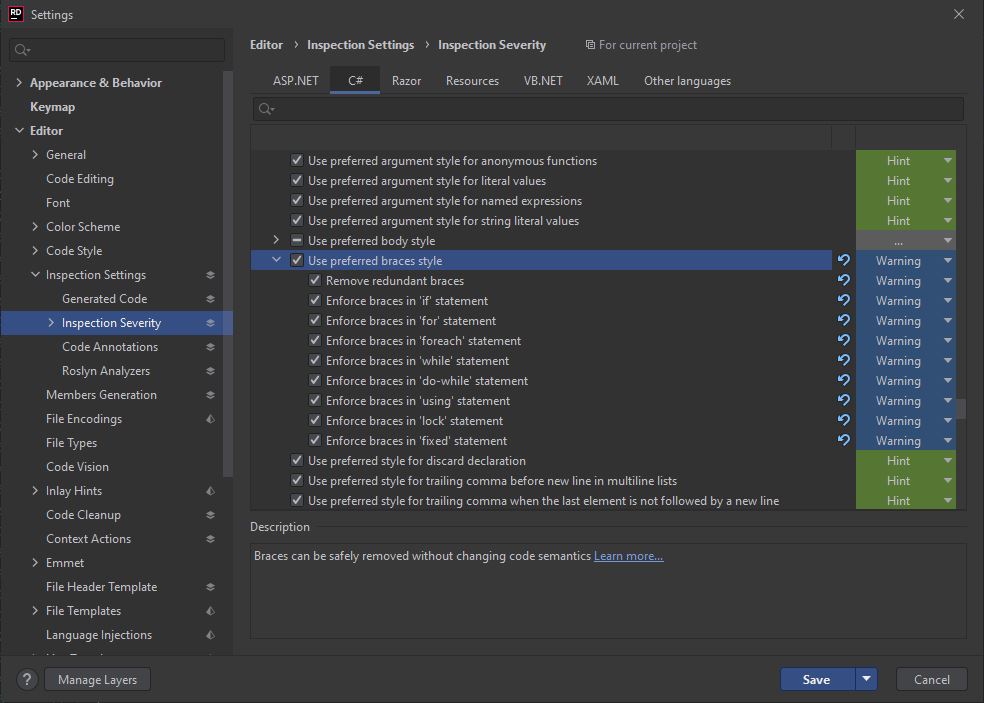
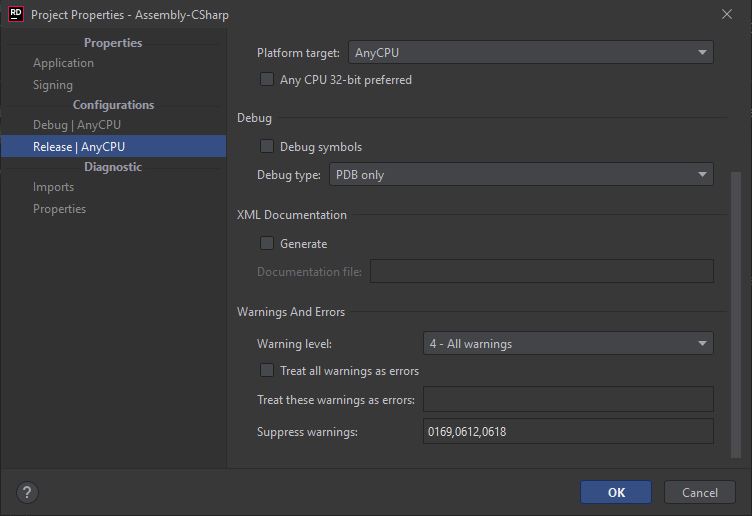
I have a Unity project that is showing warnings as errors in Rider, but not in Unity. I've checked that the inspection severity is set to Warning in the editor settings. I've double-checked the project properties for both debug and release configs, and "Treat all warnings as errors" is unchecked. I've tried invalidating caches/restart. I've tried deleting/regenerating the .sln/.csproj files. Nothing works, Rider insists on showing warnings as errors.
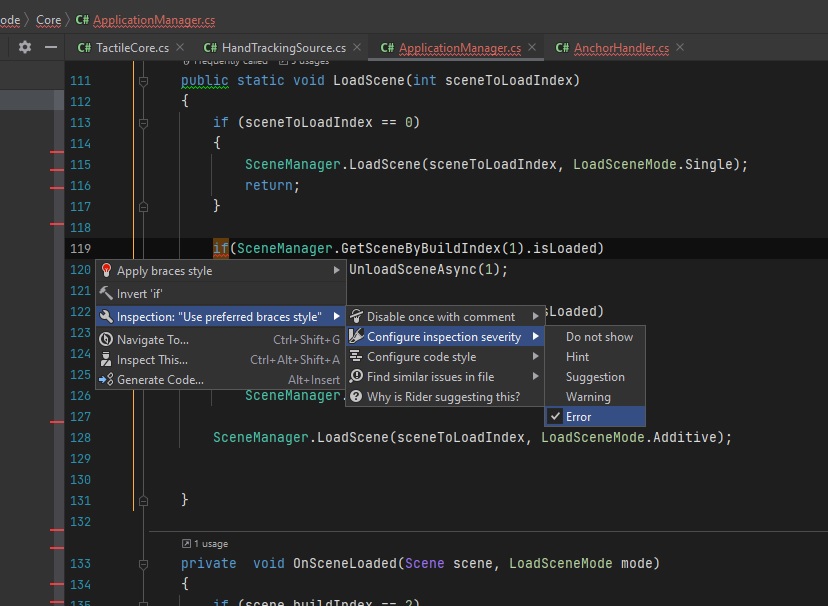
If I hover over an error and press ALT+ENTER to configure inspection severity, it's shown as Error. I've tried to change it to Warning or Hint or Do not show, but none of that works. If I press ALT+ENTER again to look at the inspection severity it's still set to Error.
How do I get Rider to show warnings as warnings instead of errors?
Please sign in to leave a comment.
Hello,
If you try to set up Warning level right in editor tab(on the second screenshot), does it help, or does it persist with Error? Do you use editorconfig by chance?
Thanks Olga, there was an editorconfig that was overriding my Rider settings. I didn't see it because it's hidden in Rider's Explorer pane in Unity and Solution views, but after switching to File System I could see the editorconfig and change the errors back to warnings.