Yes, you can. The default Single Tool Window mode shows one session at a time. To give each session its own tab in a Chat tool window, use the workaround from https://youtrack.jetbrains.com/issue/IJAI-5739:
• Open Help | Find Action, type Registry, and set air.show.layout.selector.chat.toolwindow to true. • Open Settings | AI | Air | Chat (in 2026.2: Settings | Other Settings | Air | Chat), set Open chats in to Chat Tool Window, clear Use a single tab in the Chat tool window, and click OK. • Restart the IDE.
You can also set Open chats in to Editor, which opens each session in its own editor tab. When many tabs are open, the ones that don't fit still move into an overflow dropdown. You can vote for and follow https://youtrack.jetbrains.com/issue/IJAI-5092, which asks for a scrolling tab row.
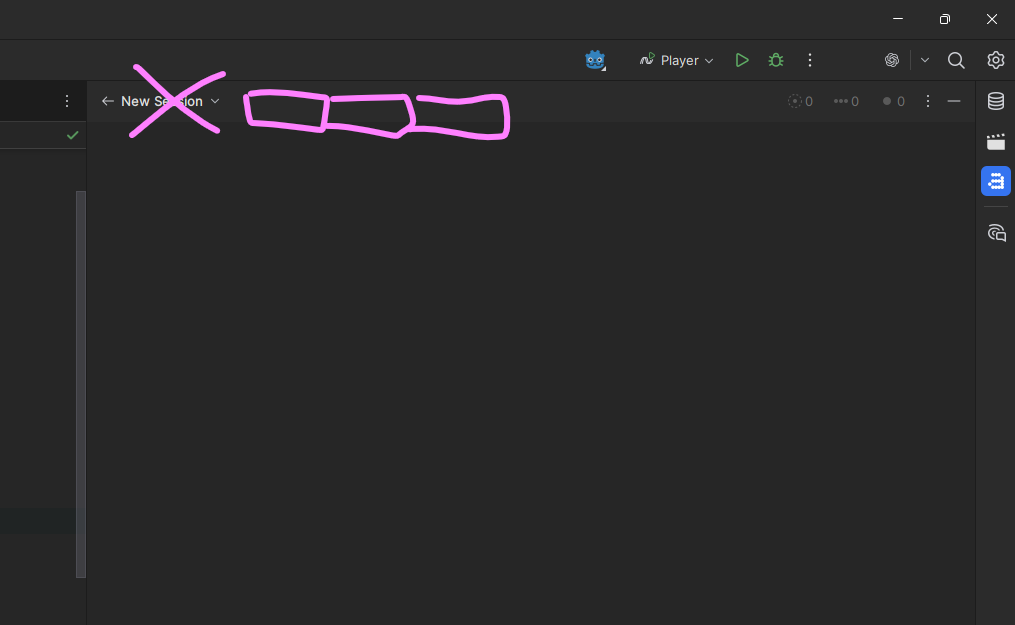
I got an issue tho - when I open new session it hides all editor tabs, and chat window over takes the whole area. when I have existing session opened, it doesn't happen, only on “New session” tab.

Yes, you can. The default Single Tool Window mode shows one session at a time. To give each session its own tab in a Chat tool window, use the workaround from https://youtrack.jetbrains.com/issue/IJAI-5739:
• Open Help | Find Action, type Registry, and set air.show.layout.selector.chat.toolwindow to true.
• Open Settings | AI | Air | Chat (in 2026.2: Settings | Other Settings | Air | Chat), set Open chats in to Chat Tool Window, clear Use a single tab in the Chat tool window, and click OK.
• Restart the IDE.
You can also set Open chats in to Editor, which opens each session in its own editor tab.
When many tabs are open, the ones that don't fit still move into an overflow dropdown. You can vote for and follow https://youtrack.jetbrains.com/issue/IJAI-5092, which asks for a scrolling tab row.
That did it, thanks
I got an issue tho - when I open new session it hides all editor tabs, and chat window over takes the whole area. when I have existing session opened, it doesn't happen, only on “New session” tab.
Build #RD-263.7307.258
There are several documented issues on our public issue tracker, YouTrack, describing similar behavior: https://youtrack.jetbrains.com/issue/IJAI-5806 and https://youtrack.jetbrains.com/issue/IJAI-5739. Please check if it fits your scenario. Also, please test the suggested workaround if it helps in your case.
If the problem persists, please submit a support ticket here: https://intellij-support.jetbrains.com/hc/en-us/requests/new?product=ai_assistant