Why cant I see human friendly values when debugging?


This has been bugging me for a while. There was a point when I was able to hover over a variable and get all the info about that type now I get pretty useless information. Im running DEBUGGame Configuration to test my game in a standalone type of environment whilst being able to hit debug points but with no information on those points it feels... Pointless
I'm using the latest production source build of UE5 along with the latest version of Rider
Please sign in to leave a comment.
if you try a workaround described on https://youtrack.jetbrains.com/issue/RIDER-81227/debugger-Natvis-fails-for-std-types-such-as-stdstring#focus=Comments-27-6530454.0-0, can it help?
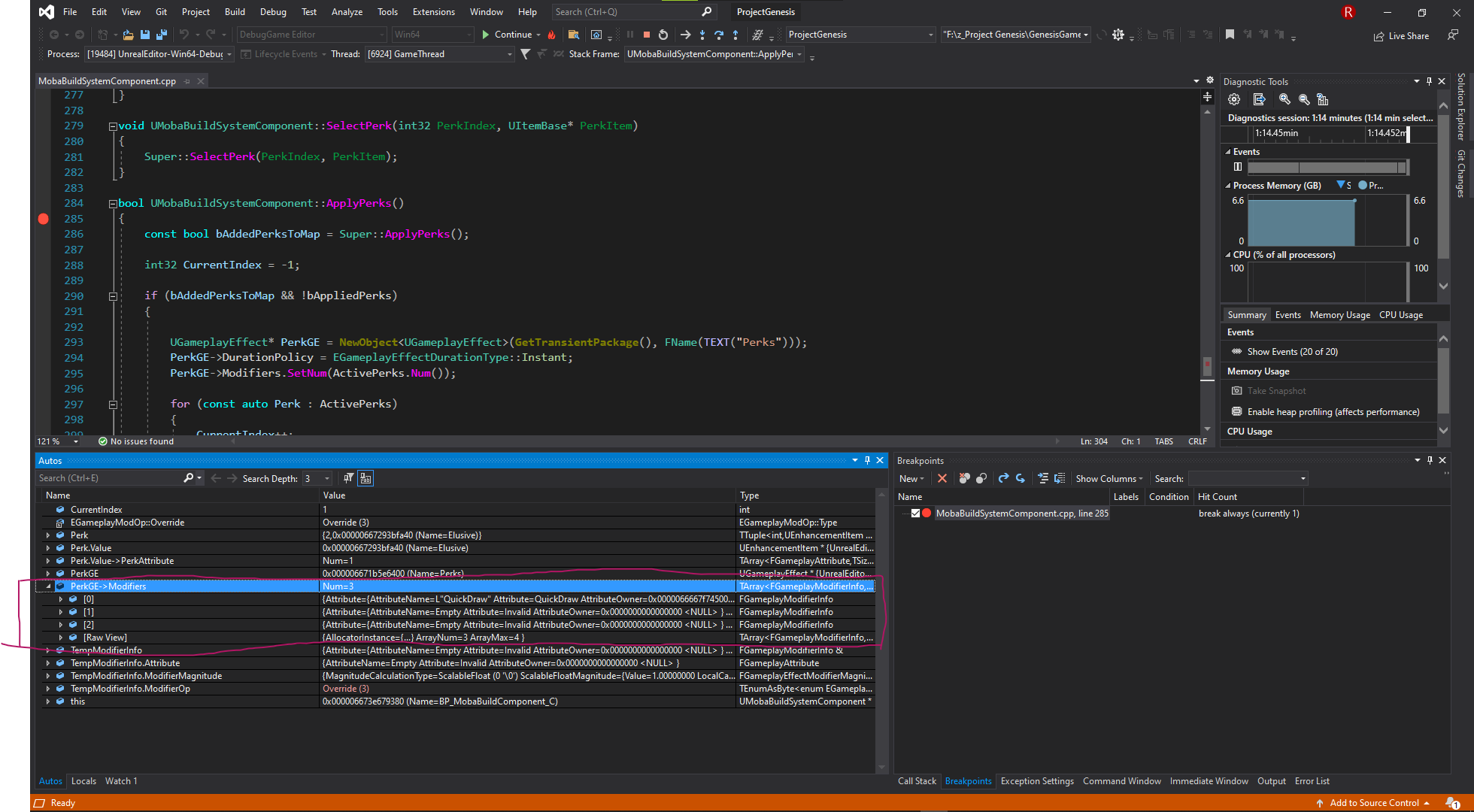
Unfortunately this solution did not work for me. Here I have 2 debug sessions on the same code. One in Visual Studio(barebones) and the other in rider. In Rider you can see when I drop down and try to see what the values are in the array I get a raw view. In Visual Studio I get a lot more information which is what I was expecting in Rider as well. I'm not sure when this feature broke in Rider or maybe it was never there but I need it back ASAP. If not can I switch my subscription to Resharper++ And just work from Visual Studio because I feel completely lost when debugging my code.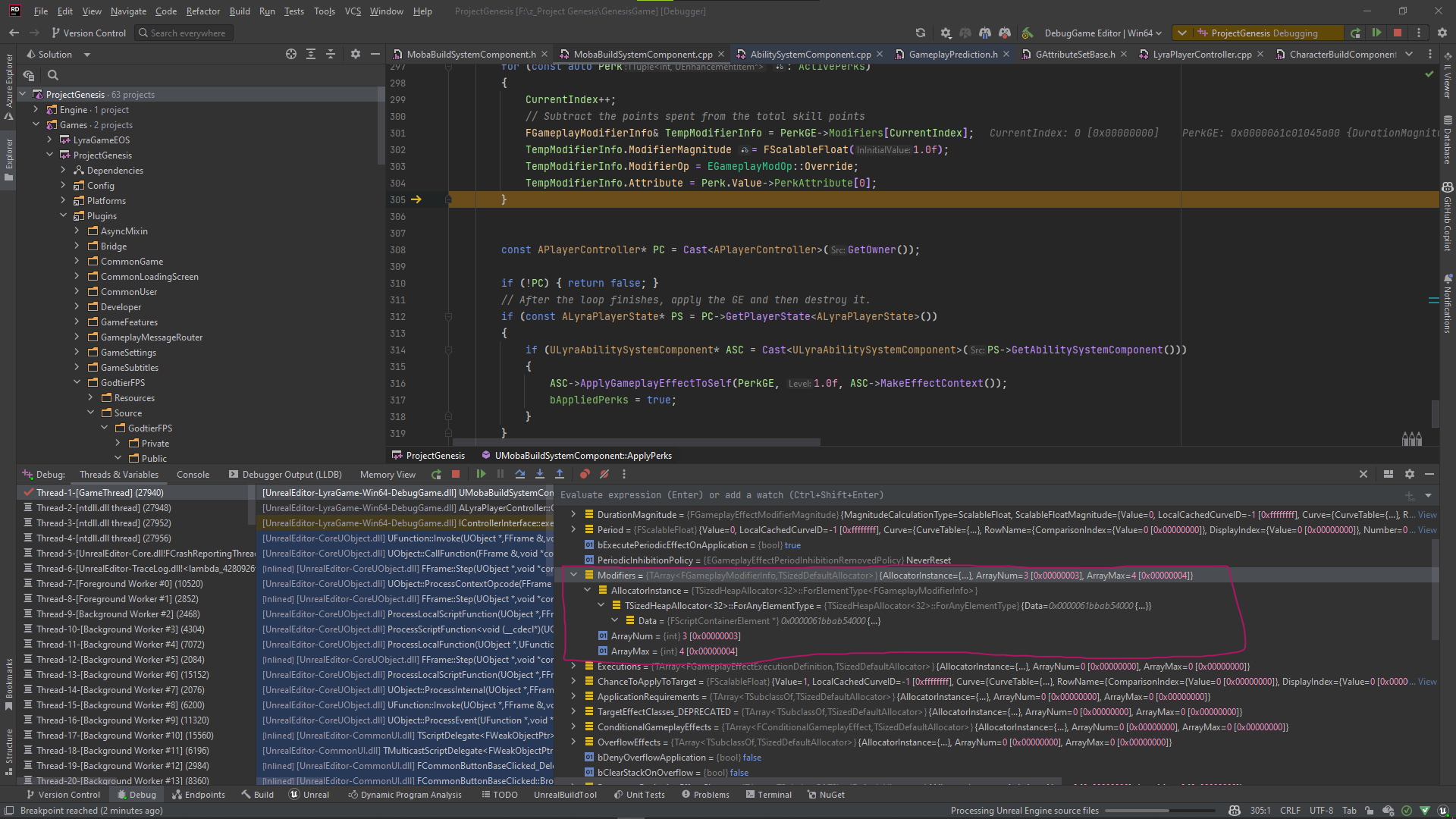
Hello Greggory,
Thank you for the provided details.
Could you please try downloading Rider 2022.3 EAP 7 version and reproduce the issue, since RIDER-81227 has been fixed there?
Looking forward to hearing from you soon.
Thanks for the reply. I was able to get the results I was looking for with the 2022.3 version. Thanks