2022.3 Shows files/directories from obj in solution tree

All directory and files from my project which are in the "obj" folder (to be exact: \obj\x64\Debug\net6.0-windows10.0.19041.0), are added in the Solution tree since 2022.3. Previous version did not behave this way.
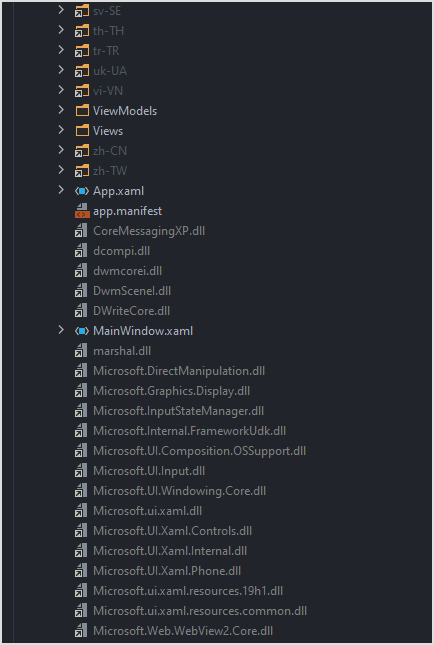
My solution tree is a mess now :(. Show all files is disabled in the directory tree.
Is there a way to change this behavior?
Please sign in to leave a comment.
Same issue here... the are shown as "linked file" ... no resolution found, yet
Same issue here, version 2022.3.1 Build #RD-223.8214.53, built on December 21, 2022
I have only seen it happen in Maui and WinUI3 projects.
Haven't found a workaround.
Looks like it is caused by the following entries in the project files:
Maui
<WindowsPackageType>None</WindowsPackageType>
WinUI3
<WindowsAppSDKSelfContained>true</WindowsAppSDKSelfContained>
If I remove these and rebuild the link files disappear.
Unfortuately, afaik, I need those to build an unpackage exe for the projects
I have the same issue. I have my .csproj file edited to set "WindowsPackageType" to "None".
If I change the Explorer view to "File System" it cleans it up a bit, but there's still folders and files I do not wish to see, but it hides the language/culture folders.
Fyi; i have also created an issue on YouTrack: https://youtrack.jetbrains.com/issue/RIDER-86853/Rider-shows-folders-and-files-from-obj-as-linked-in-project-tree