Live Templates with multiple instances of multiple variables

I'm having trouble getting this live template to work and I'm not sure what I'm doing wrong.
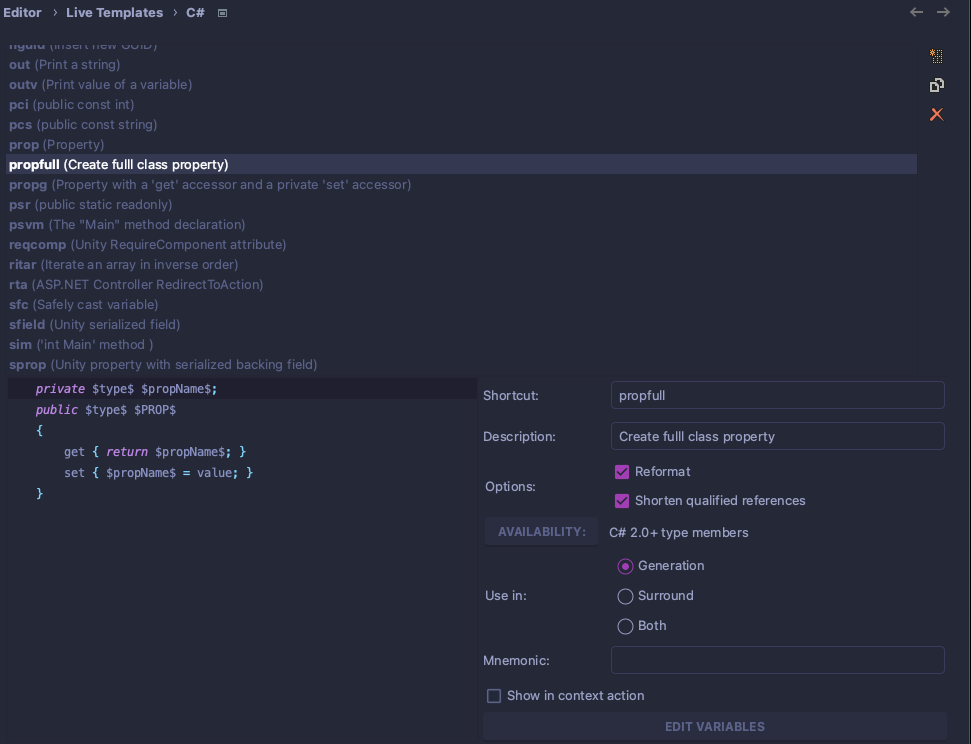
Here is my live template setup:
Language: C#
    private $type$ $propName$;
    public $type$ $PROP$
    {
        get { return $propName$; }
        set { $propName$ = value; }
    }
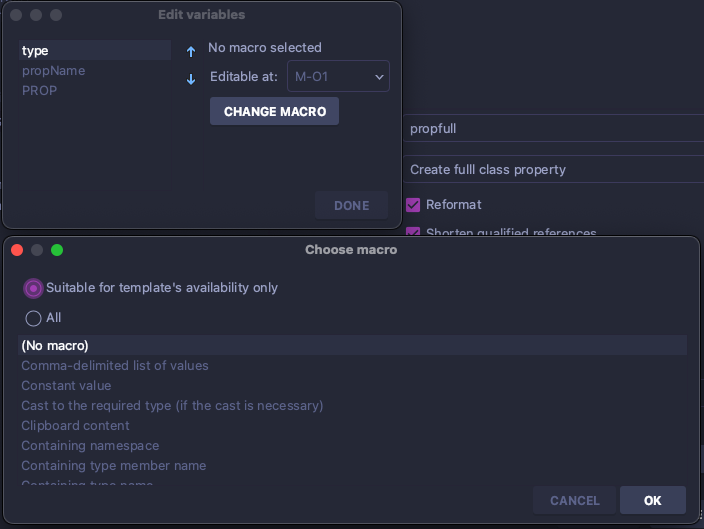
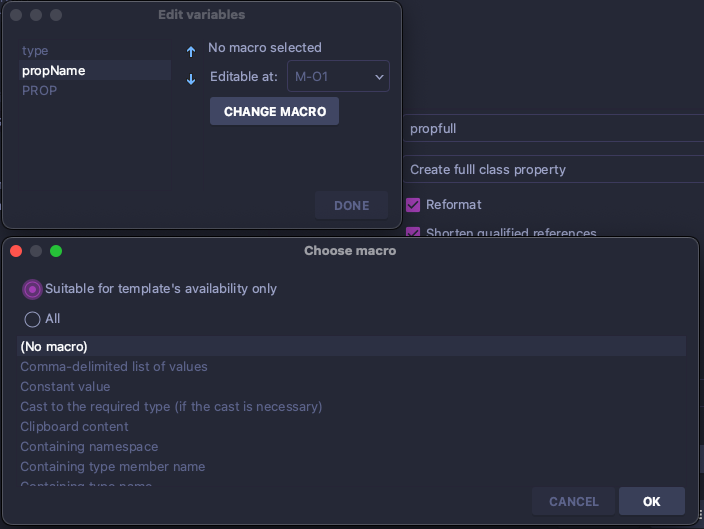
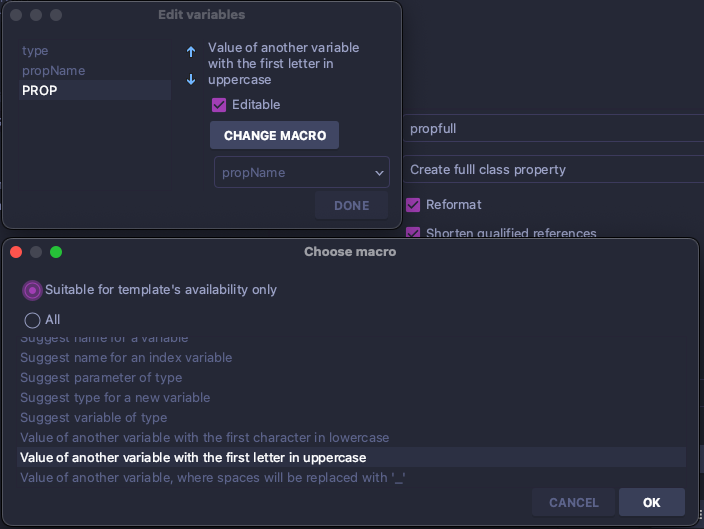
What I'd like the template to do is:
- When I define the first instance of $type$, it automatically fills in the second instance of $type$ with the same value
- Then I want to press tab to move to defining the first instance of $propName$
- When I define the first instance of $propName$ it defines the two other instances automatically with the same value
- When I define $propName$, $PROP$ should be the same value as $propName$ except with the first letter capitalized
private int age;
    public int Age
    {
        get { return age; }
        set { age = value; }
    }
So I'd like to have the above result when:
- I type int where the first instance of $type$ is
- press tab
- I type age where the first instance of $propName$ is
Is this possible? I've been tinkering with this live template for way too long and have to move on. Hopefully one of you knows the answer to this. Thank you in advance for any help!
Please sign in to leave a comment.
Hello,
Thank you for reaching Rider forum.
According to the settings you have provided, template should work. I could made it work according to your instructions in my lab.
Could you please clarify when the template stops working? Additionally, the screen-cast would be useful.
Additionally, please tell your Rider version.
Thank you in advance!