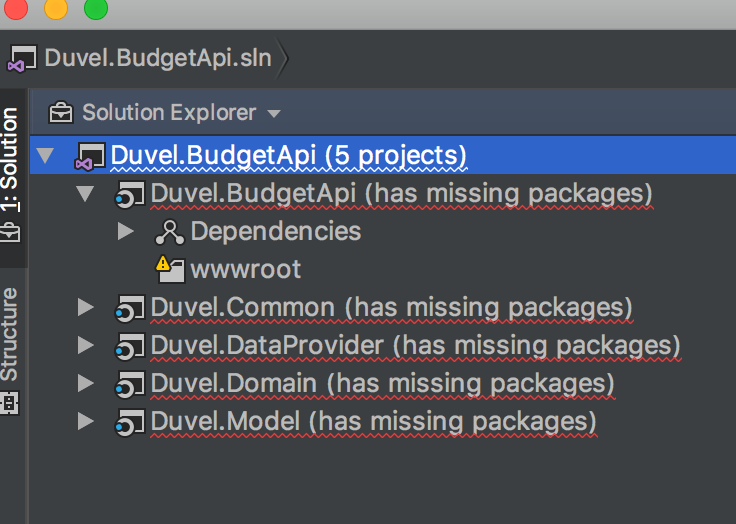
Opening .net Core 2.0 project => "Has missing packages"
Answered

Hi,
I'm using version 2017.2 for MAC, but also tried newer versions of the EAP program.
When I open my solution, which opens correct in Visual Studio form Microsoft on Windows, it does not load my solution correclty.
Afer trying to restore the packages, I get "Has missing packages" at each project. Also when I open one of the projects, the files are not displayed in the solution explorer.
I included a screenshot to make things more clear.
Any help would be greatly appreciated !
Please sign in to leave a comment.
I have exactly the same problem. If you have solve it by now, would you care to share the solution here? Thank you!
Hi, I did solve it and the problem was not Rider. When I cloned my project from the Git server, it had put an %20 in one of the folder paths, therefore rider could not find some folders...
So something stupid...
Maybe you have some sort of same issue?
Thank you for your reply! Indeed, when cloning from the Git server, in the main folder I had an %20 instead of a space. Replacing the %20 with a space solved all issues. Thank you, you are a life saver!
Awesome ! Didn't think anyone would have the same stupid issue as I have encountered. Glad to have been of assistance to you ! Having helped you made my day :)
I just encountered this issue. I had deleted project in my solution and forgot to remove a project reference in another project. Once I removed the reference, this issue was resolved.