Rider forcing wrong client specification

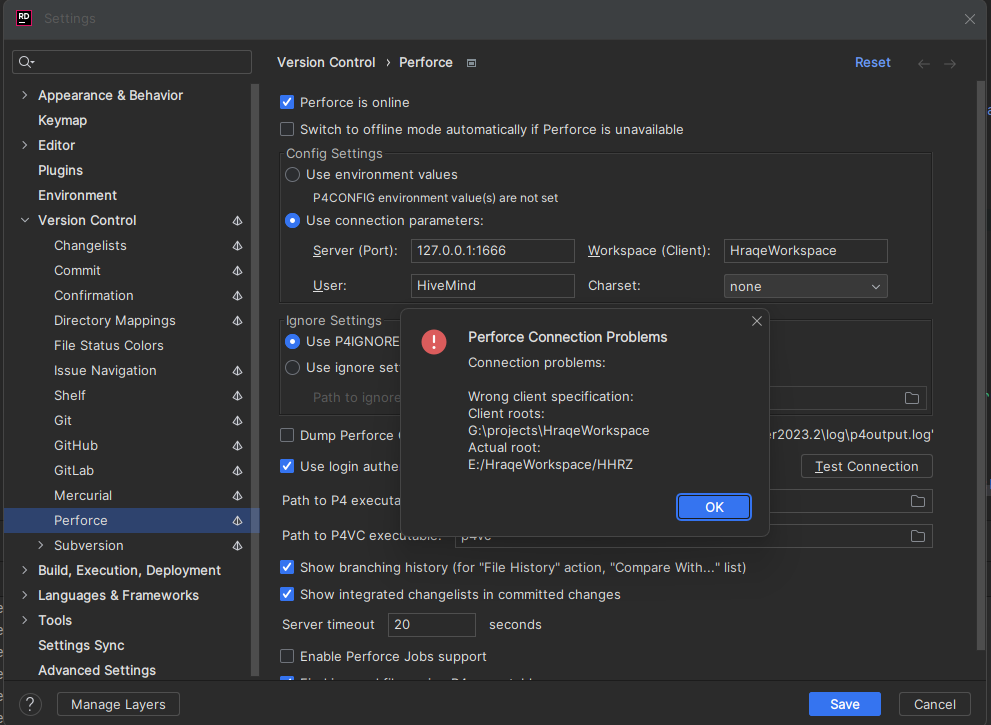
Hi, I tried to connect to rider to perforce, but its forcing other path, than the one that is set in directory mappings. As shown on first image, its looking for G:\projects\HraqeWorkspace, but this isn't my directory. I don't even have a G drive. This is the directory that the friend of mine is using, but we didn't swap any idea files from out computers etc.
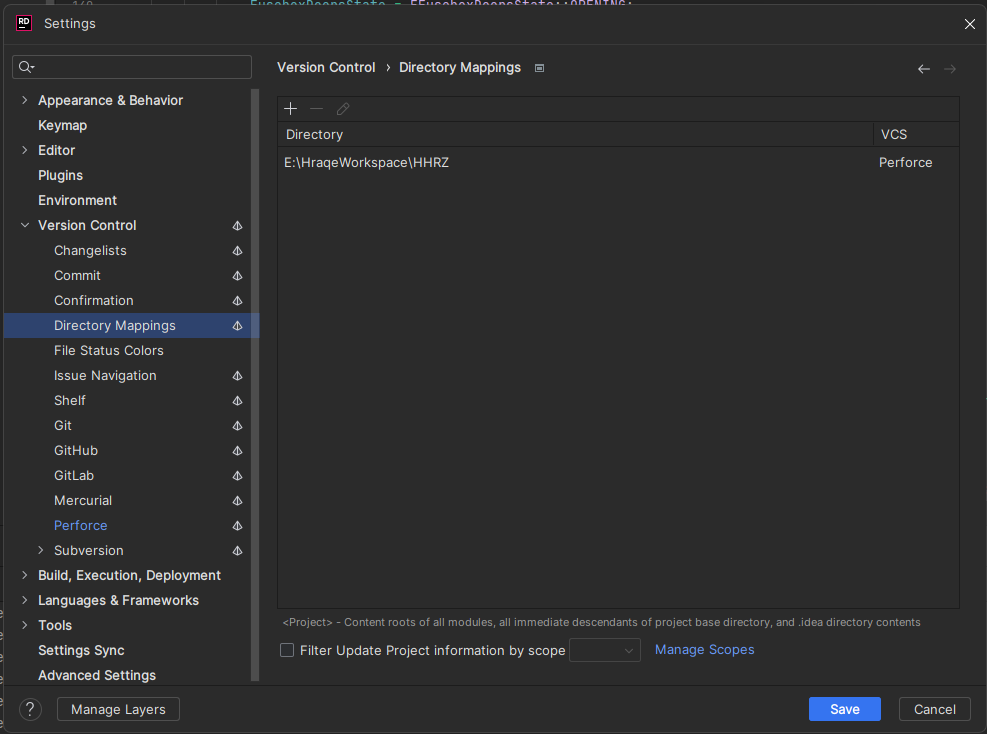
The second image shows how directory mappings are set, and as you can see, they are set properly. If I don't set directory mappings, it connects successfully, but as you know, I can't commit files from rider without proper working directory mappings.
Please sign in to leave a comment.
Thank you for contacting Rider support.
We are sorry to hear that you have run into such a problem.
Such an error might be seen when a workspace (WS1 for example) is created on machine A and you are trying to access this workspace from a different machine.
Might it be that the HraqeWorkspace belongs to your friend, but not to you?
I suggest checking the properties of the HraqeWorkspace (in p4v). I suppose you will see its Workspace root is equal to G:\projects\HraqeWorkspace.
If so, you need to create your own workspace and link it to the same stream as your friend, so that you could work together on the same stream.
If that doesn't help, please tell me.
Have a nice day!
It wasn't it, but your comment gave me an idea. It turned out, that “HraqeWorkspace” was a name reserved by my friend's workspace for some reason. I changed the name and it works fine now
I am glad to hear that a solution was found.
If there is anything else I can assist you with, please tell me.
Have a nice day!