Cannot create Unit Test Project

Windows 11 , JetBrain Rider 2024.2.4
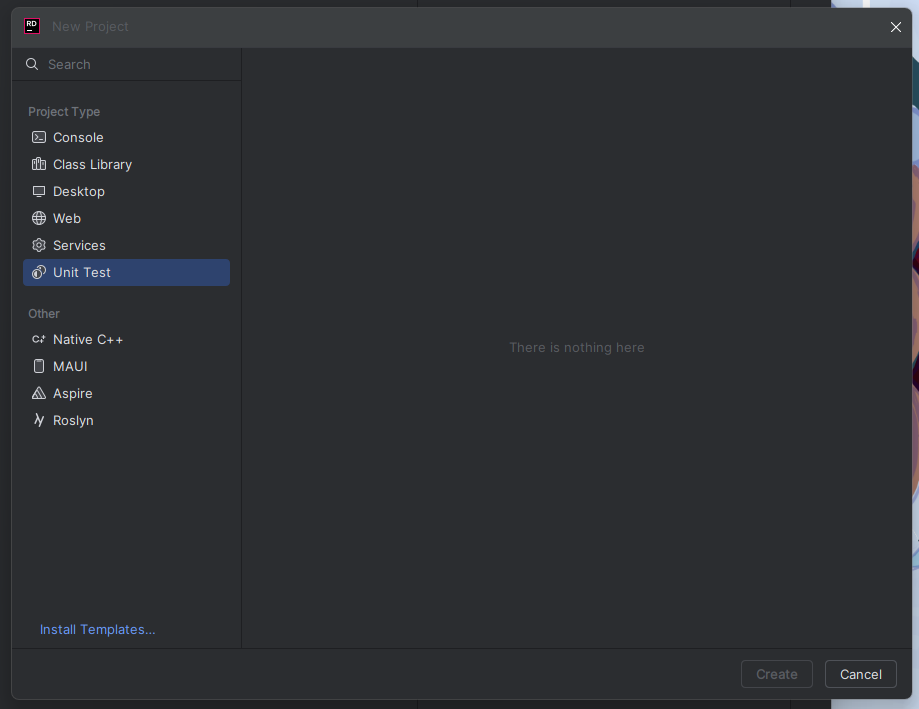
The Unit Test tab in the ‘new project’ and ‘new solution’ window is completely blank.
The only text is a small message: “There is nothing here.”
All other tabs are fine. Reinstalling Rider has not fixed this issue. This is very frustrating!
This is my first time installing Rider on this computer.
Please sign in to leave a comment.
Hello!
Do you have .NET 9 SDK installed on this machine? Are you able to create a test project using the dotnet new command? E.g. dotnet new xunit
I can create a new project using dotnet new xunit, but can't using the UI. It doesn't even respond to clicking the “Unit Test” option on the side menu.
Using Ubuntu 20.04 Rider 2024.2.4
Hello, Asaf Agami ,
Please see above - do you have .NET 9 installed on this machine?
Same for me