Rider: when using TUnit, Test Explorer > Jump to Source does not work

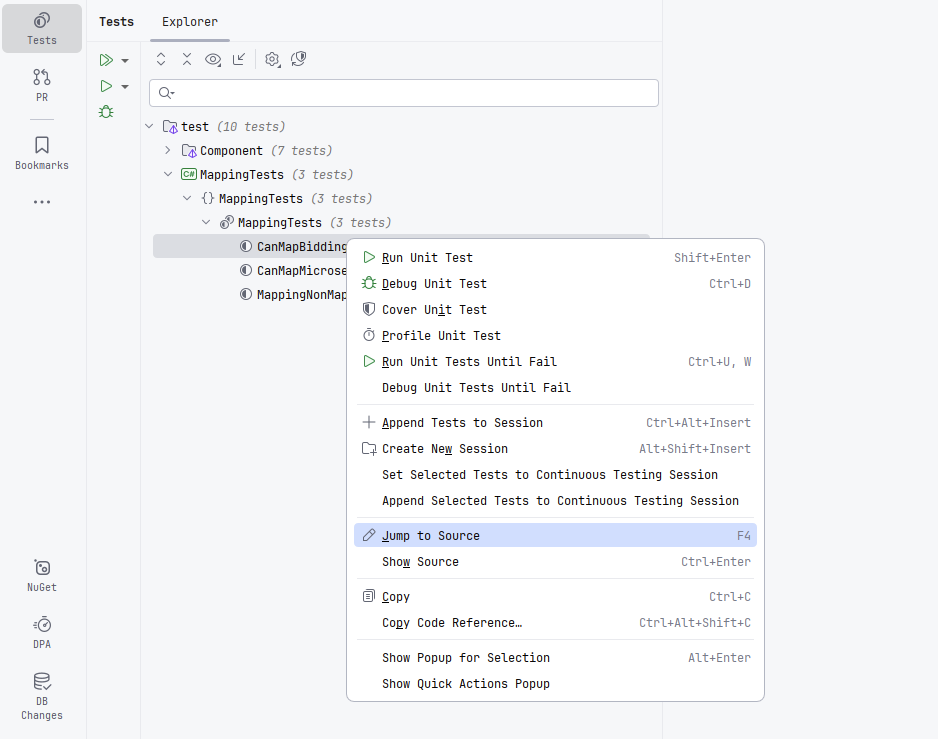
When using TUnit in Rider, in Test Explorer,
- Double-clicking on the test
- Context menu > Jump to Source
- Context menu > Show Source
- F4
none of these navigates to the file containing the test
Please sign in to leave a comment.
the in-test context menu items for Unit Test are also disabled:
AI Unit Test generation does not support Microsoft.Testing.Platform (TUnit in my case) either:
Hello, JoyRider ,
Jump To Source and context menu options are already available in the latest Rider 2024.3 EAP build. Regarding the Create Unit Test feature, I have created a new feature request: RSRP-499140 Support creating TUnit tests via Create Unit Test feature. Kindly upvote the request to indicate your interest.
Ivan Skorikov I am using JetBrains Rider 2025.1.2 with TUnit and double click on unit tests or Jump to Source (F4) does not work. It won't do anything
Martind I've tried this in the latest Rider 2025.3.0.2 + TUnit 1.2.11, and it works well for me. Could you please try upgrading Rider and verify if the issue persists?
Thanks,
Tom
Tom Luo I've just tried with 2025.3.0.2 and TUnit 1.2.3 and later upgraded to 1.2.11, same result, it doesn't work.
There are also issues with Rider and TUnit regarding how it displays tests, but I saw there was another bug reported for that. See youtrack.jetbrains.com/projects/RIDER/issues/RIDER-131600/TUnit-tests-not-grouped-by-namespace-in-test-explorer
I wouldn't be surprised if both are related due to Rider being unable to retrieve the correct path to jump onto, when tests are inside some nested namespace.
Here's a screencast Recording 2025-11-24 133028.mp4
I confirm the problem is with nested tests in TUnit. So it's probably related to the other bug I mentioned.
Try the following to reproduce it under a TUnit test Tom Luo
This works well as expected
This will be discovered properly and executed, but it has issues showing hierarchy (the static class is not showing as a parent) and jumping to source (it won't open the test source code)
Martind Thank you so much for the repro steps of the issue. It's a great help to us in investigating this issue. I have successfully reproduce the issue.
I haven't found a known issue for this. For better tracking, I have created a new issue on our issue tracker: RIDER-133029 Jump to Source does not work for TUnit tests in nested class. You can upvote and subscribe to receive updates.
Thanks again for your efforts in reporting this issue to us.
Regards,
Tom