Disable GDscript error-checking permanently

I'd like these red-underlined errors to stop being red-underlined. Note I'm using Godot 3.5, and the GDscript plugin says it's only 4.0. Also, under Inspection Settings→Inspection Severity, it has C#, but not GDScript.
I'm sure there's a setting for this somewhere, I just can't find it. Thanks.
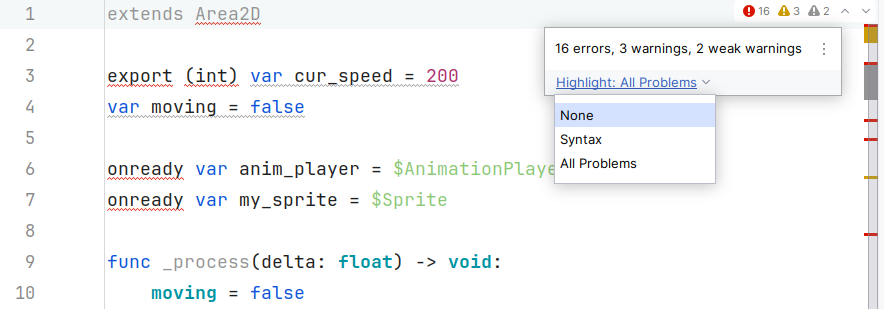
Please sign in to leave a comment.
Hi! Which versions of Rider and the GDScript plugin do you use?
JetBrains Rider 2024.3.2
GDScript 2.6.0
Godot 3.6
Note that Godot is not 4.0, and as a result, although Rider is “integrated” with the Godot Engine, in the sense that it updates files, and Godot picks it up - but Rider did say something about not being able to “find” Godot (I don't remember the exact message).
So no syntax-checking/auto-complete from the Godot Engine, I'm guessing.
That should actually work with Rider, please see what's currently supported in our Godot support plugin repo.
The GDScript plugin doesn't support Godot below 4.0, so the issues you're seeing might be caused by that. Could you please try disabling the GDScript plugin and then make sure that using either a headless or a Godot Editor LSP server is enabled in Settings | Languages & Frameworks | Godot Engine (native GDScript in Rider support relies on LSP).
Great, that worked, thanks.
I seem to remember reading that the plugin wasn't necessary, being incorporated into Rider, but for whatever reason I had it enabled. Once I disabled it, and set the “automatically start headless LSP server”, I stopped getting tons of annoying syntax-errors. (although checking is still enabled, it's not a problem now).
And I see now that with the LSP being used, I do get some autocompletion of Godot variables, so that's also an improvement.