rename refactor (⌥⌘R) shows dialog but does not rename local variables on macOS in 2025.1.5.1

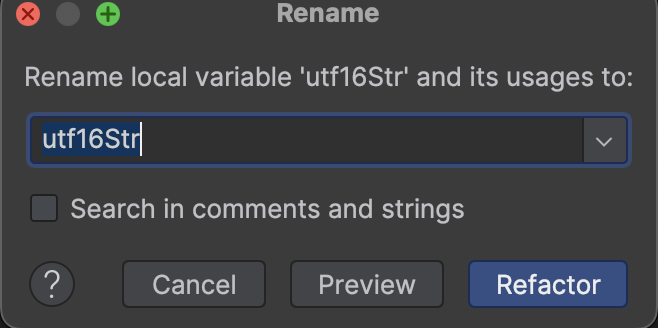
On macOS in CLion, pressing Option + Command + R (⌥⌘R) on a local variable opens the rename dialog as expected. However, when clicking “Refactor” (or pressing Enter), nothing happens — the variable is not renamed.
Please sign in to leave a comment.
Hi Zhoujiazhiwork!
File | New Project>C++ Executable>Create)?Also, we would appreciate it if you could ask questions about CLion on the CLion forum next time. Thank you in advance!
Anna Falevskaya
1. Cmake
2. This issue appeared in 2025.1.5.1, but after upgrading to 2025.2.1 today, it has disappeared.
3. Not CLion Nova — I’m using classic CLion.
Anna Falevskaya
Even after upgrading to CLion 2025.2.1, it seems there are many small bugs that didn’t exist in the older version (I can’t remember which version I upgraded from). To be honest, I regret upgrading— the new version seems to have more issues than the old one. I may open issues for these small bugs when I have time.
Zhoujiazhiwork, thank you for the update!
If you do, please open them in the CLion issue tracker - https://youtrack.jetbrains.com/issues/CPP. Thank you!
Also, please be aware that we don’t plan to allocate further resources to the development of the legacy CLion Classic engine (see this blog post). All new language-specific features will be available only in CLion Nova.