How to prevent the explorer toolbar to fade when not hovered?

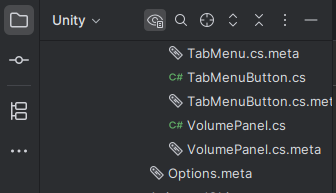
Hi ! The toolbar above the explorer fades out when the mouse cursor is not on the explorer itself, and reappears when the mouse cursor is on it. I really don't like that, because I'm always looking for buttons that are not on screen (pesky little “select opened file” ^^').
When hovered:
When not hovered:
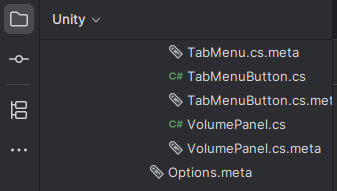
Is there a way to always show this toolbar, even when the explorer is not hovered?
Please sign in to leave a comment.
Hello Parra,
Thank you for contacting Rider support. This is by design for sure.
You can disable it by enabling the “Always show tool window header icons” in the Advanced settings:
There was a related request about that with an explanation (in the comments section) why it behaves like that by default: IJPL-163209
Have a nice day!