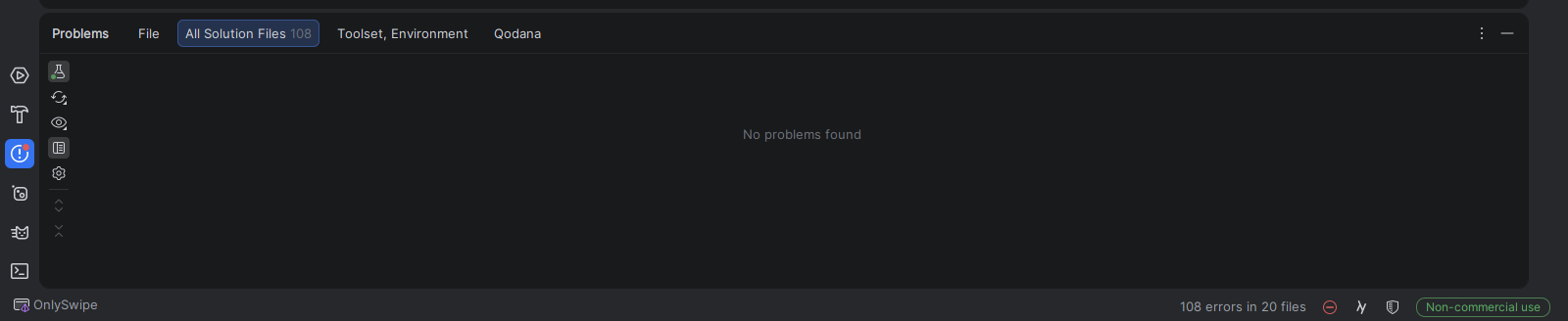
Rider Showing Invisible Errors without any error in project.

Rider Showing Invisible Errors without any error in my all dotnet projects, if i create new project also still showing the errors, how to fix this issue ?
Please sign in to leave a comment.
Hello,
Sorry for the late response.
Regarding this issue, could you please try clearing the caches first: File | Invalidate caches => Invalidate and restart?
If this doesn’t help
1. Do you use source generators in the project? There is a known issue that happens with source generators: RIDER-130867 Invisible errors in the All Solution Files tab. Errors are from generated sources.
2. If this is not the case, the issue needs to be investigated on a case-by-case basis. Please report it on our issue tracker, with the following logs:
Thanks,
Tom
sry, i forget to say this, this is maui source-generator file's error but this is not showing in IDE except error count, i disable the ‘show source-generator error’ in rider settings.
Thanks for the update. This should be the same issue mentioned above. You can subscribe to receive further updates.
Meanwhile, you can try adding
*.g.csto the file masks under "Inspection Settings" -> "Elements to Skip" as a workaround.Thanks,
Tom