[Linux] Can not Add Avalonia User Control Template

Hello everyone,
I just started using Rider coming from Visual Studio/VS Code.
Unfortunately, I am not able to add a new Avalonia User Control via the Right-Click-Menu (see screenshot)
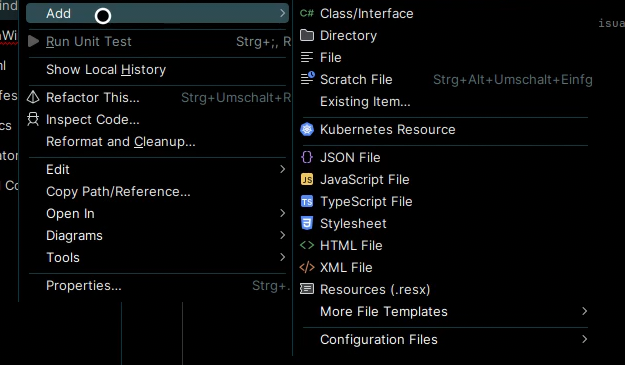
I am also not able to install the NuGet Avalonia.Template because it “has a package type 'Template' that is not supported by project”.
Are those two Problems connected, and if so, do you have any idea how to solve them?
I'm using LinuxMint 22 and haven't had any other problems so far.
Thanks in advance!
Please sign in to leave a comment.
Hello,
Thanks for contacting Rider support.
In Rider the “Add Avalonia User Control” context‑menu item comes from the AvaloniaRider plugin, not from core Rider. Please check/install the Avalonia plugin
If it’s installed but disabled, enable it and restart.
(While this plugin is not published under our official account, it's developed and maintained by us)
As for “Avalonia.Template” package, please install it via command line “dotnet new install Avalonia.Templates”. After that, you should be able to see Avalonia templates in New Solution dialog:
Please let me know if any further clarification is needed.
Thanks,
Tom