Move focus to editor windows after finish debug session

Hi,
usually if I open the debug window with the mouse I can navigate back to the editor with the ESC key.
But if I debug a net core console application the debug window pops up I can't switch back to the editor window with the ESC key. Is there a Shortcut to switch back to the editor window because in this case the ESC doesn't work or is this a bug?

Please sign in to leave a comment.
Hi Michael!
Thank you for contacting us.
Could you please try to upgrade you Rider to the latest 2019.3 version and check if this help? Unfortunately, I can't reproduce this behaviour.
Escape doesn't work for me.
ESC key doesn't navigate back to the editor after Run Console App.
Rider for Unreal Engine 2020.3.4
Build #RDCPPP-203.5981.165, built on January 15, 2021
For Run Console App use already added new ShortCut "Alt+P"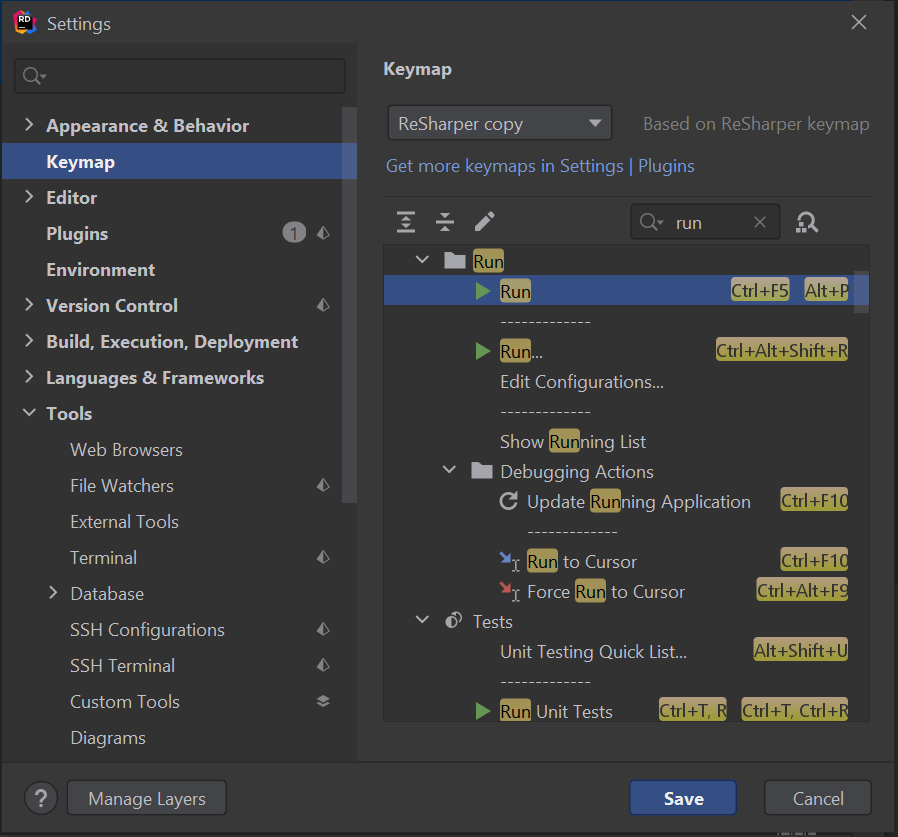
ConsoleApplication1.cpp looks like this
Hello, thank you for reporting the issue, we have a similar report on our tracker: RIDER-50505. In the meantime you can try to set focus to Tool window with Alt-4 and then press Esc. Hope that helps.
Bumping this! A quite unfortunate bug for mouse-less programming.