Build and debug all projects in solution
Answered

Is there a shortcut or a tutorial for how to build a shortcut that (a) compiles all projects in the solution (CTRL+SHIFT+B) and (b) starts debugging (ALT+F5)? Our solution is architected with modules that are in the solution but not statically referenced by the startup project, so my fingers type ALT+F5 and only build a subset of those I get with CTRL+SHIFT+B. Ideally, I would like to replace ALT+F5 with this behavior.
Please sign in to leave a comment.
Hello,
You can try changing the run/debug configuration, for example specify to Build solution before launch. It might be that by default it has Build project instead of Build Solution.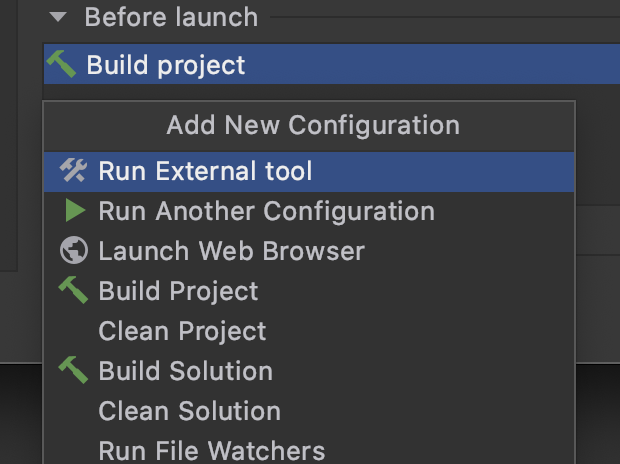
This works for me. Thanks!