Can't build asp net core mvc project from source

Using https://github.com/dotnet/aspnetcore and release/3.1 branch, Rider is unable to build some of the projects that need nodejs. For example this project https://github.com/dotnet/aspnetcore/tree/master/src/Mvc/samples/MvcSandbox can be build from cli but not from rider. Log from rider build: https://drive.google.com/file/d/1ebZGIh5SU1oZiuLL2W21AMDle9Z47BpL/view?usp=sharing
To manage nodejs I use NVM and to allow Rider to see node executable I did what Igor Kalinovskiy wrote here: https://intellij-support.jetbrains.com/hc/en-us/community/posts/205964744-npm-is-installed-using-nvm-but-IntelliJ-doesn-t-know-about-it?page=1#community_comment_360000199399
OS: Linux Mint 19.3
Rider 2020.1.3
Please sign in to leave a comment.
Hello, there.
Thanks for your interesting issue.
I tried to reproduce your problem and got the following error “Npm.Common.targets(35, 5): Building *.npmproj but NodeJS was not detected on path. Ensure NodeJS is on path or disable building NodeJS projects with /p:BuildNodeJs=false. Skipping NodeJS projects will also skip managed projects depending on them, including Components, Mvc and Analysers.” Did you have a similar error?
If your answer is “Yes”, please ensure that nvm is added to PATH via .profile. Here's an example for the reference: “PATH="$HOME/.nvm/current/bin:$PATH".
Your .bashrc should contain the following:
“export NVM_SYMLINK_CURRENT=true
export NVM_DIR="$HOME/.nvm"
[ -s "$NVM_DIR/nvm.sh" ] && \. "$NVM_DIR/nvm.sh" # This loads nvm
[ -s "$NVM_DIR/bash_completion" ] && \. "$NVM_DIR/bash_completion" # This loads nvm bash_completion”
Then you need to logout and login, after that open your terminal and run “nvm use default”.
Finally, you might need to re-login once more after using “nvm use default” to build your project.
I tested all the steps above on a sample project “MvcSandBox”.
If your setup differs from the one I described, please let me know.
Best regards,
Maxim Isaev
Hello, thanks for your reply.
Unfortunately, these settings were initially set when installing NVM nevertheless, I double-check them now.
There are the strings in my .bashrc file:

And in .profile:

Also, I should mention that Rider can see that there is node excutable as shown here:


Still, it fails to build MvcSandbox project with the following error:
Thanks for the feedback. To solve this issue, please open settings page “File | Settings | Build, Execution, Deployment | NuGet” and for “PackageReference Restore Engine” choose the value “MsBuild” from the drop-down list.
Let me know if it helps.
Best regards,
Maxim Isaev.
It did help! My thanks for that!
Although, it took more than 40 mins to complete packages restoring:

And every time I launch the project I get this (the project still launches):
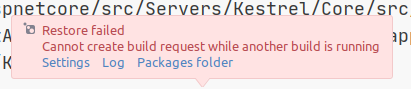

Full log file:
https://codeshare.io/2WDZy8
Errors starts at 10068 line and look like this (in case link is dead):
Thanks for the information, you were trying to build an entire solution. Please open “MvcSandbox” project (MvcSandbox.csproj) and try to build it.
If It helps let me know!
No, I was not trying to build whole solution. When I just open the solution restoring process starts again and it takes muck longer than when using embedded restore engine option. It took 27 minutes to finish the process(when I opened it second time) whereas with default option like 2m ish.
I was able to partially reproduce this issue by opening an entire Mvc solution and immediately building the Sandbox project.
Please try opening the project directly (MvcSandbox.csproj) and wait until the project is fully loaded.
Let me know if it helps.
Best regards,
Maxim Isaev.
First of all, thanks for your time and help, Maxim. I've had a desire to study asp net source but not Rider problems, so with your help, I can finally do it at least. I appreciate it.
Now about opening Mvc.Sandbox project directly. In short, it works fine even without changing the Restore Engine to MSBuild. It builds and runs ok.
After clearing the project through dotnet cli and building the project using Rider it builds successfully, but another issue arises that can be fixed running build.sh.
I would say it is a bit of a hassle to use Rider with asp net core source code. I don't know how things work when using vs studio so the conclusion is hard to be made.
And let's say the issue is resolved. Sort of. As I don't understand is ok to continue discussing the problem related to opening a full MVC solution that takes so much time to load.