Rider is running/debugging an old build

You have made some changes but Rider sticks to an old build? First of all, have a look at your Run/Debug Configuration and make sure that "Build project before run" is added to the list of actions to be performed before the launch:
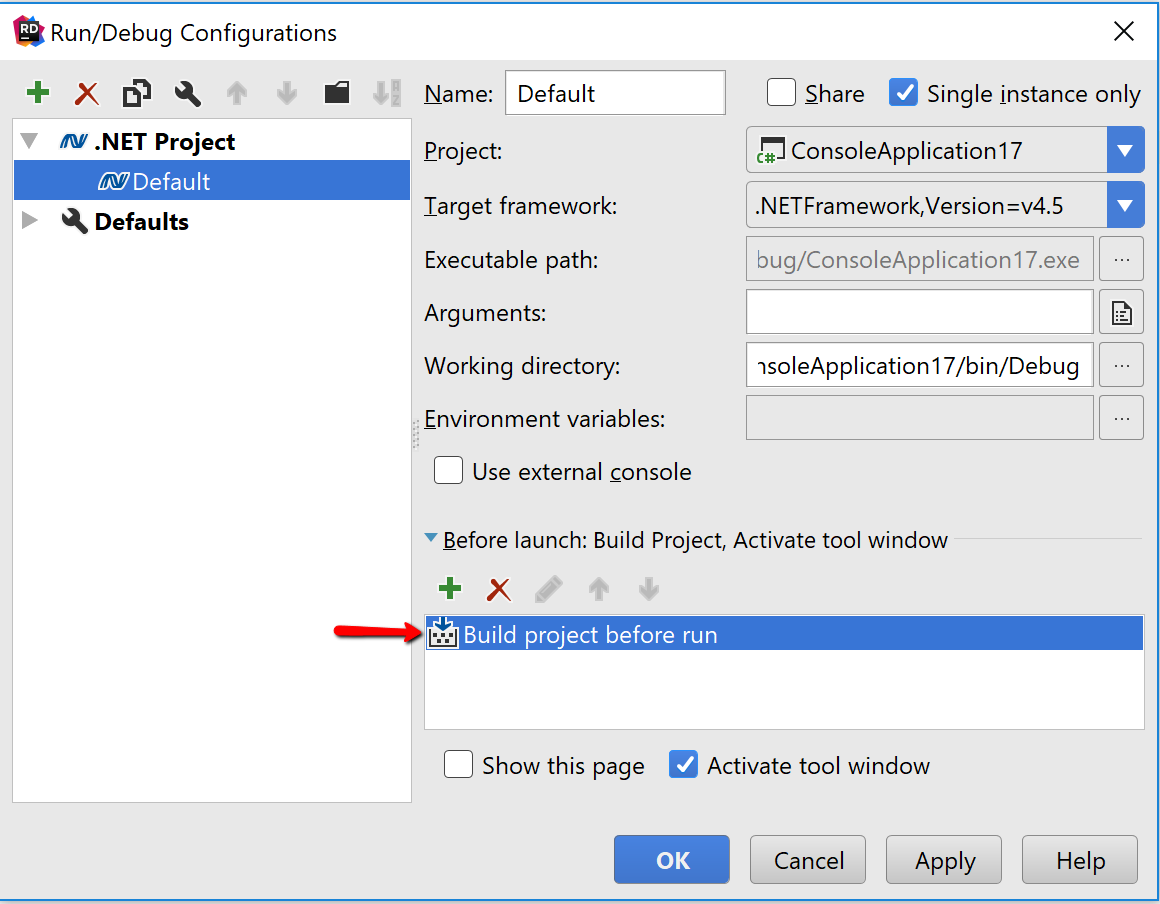
In case it is there then please let us know about the problem. Here are the troubleshooting steps:
1. Go to 'Rider -> Settings/Preferences -> Build, Execution, Deployment -> Toolset and Build'.
2. Check which MSBuild version is used. Does it lays in .Net SDK or in Visual Studio folder?
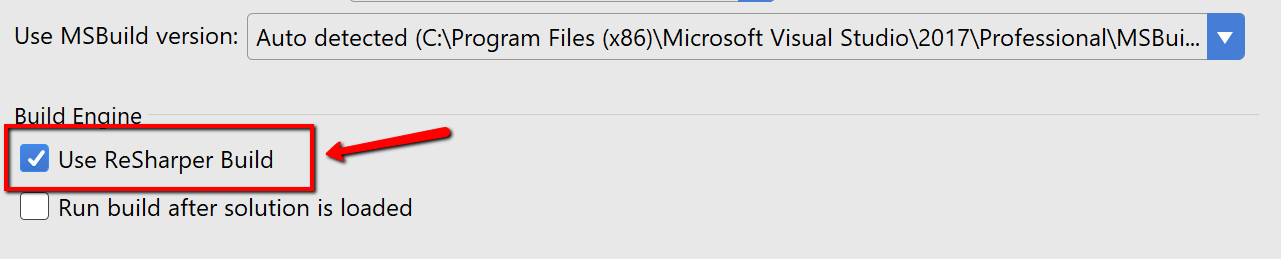
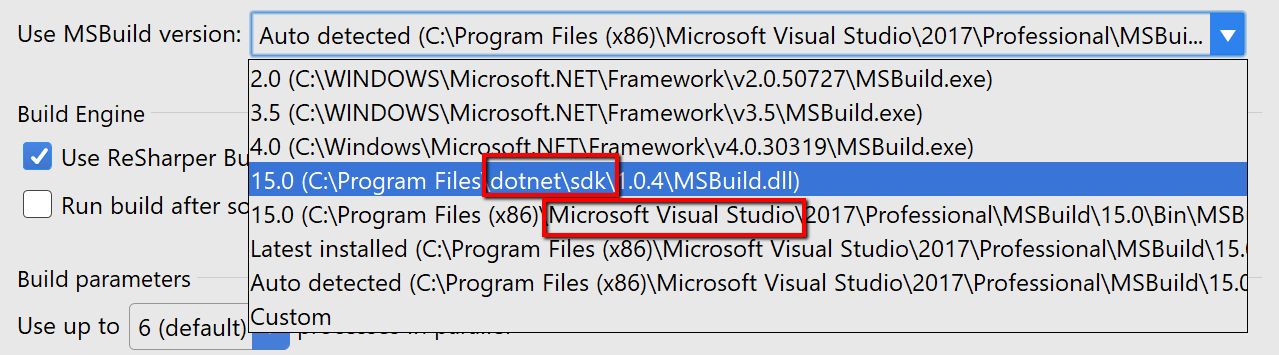 3. Is "Use ReSharper build" checkbox turned on?
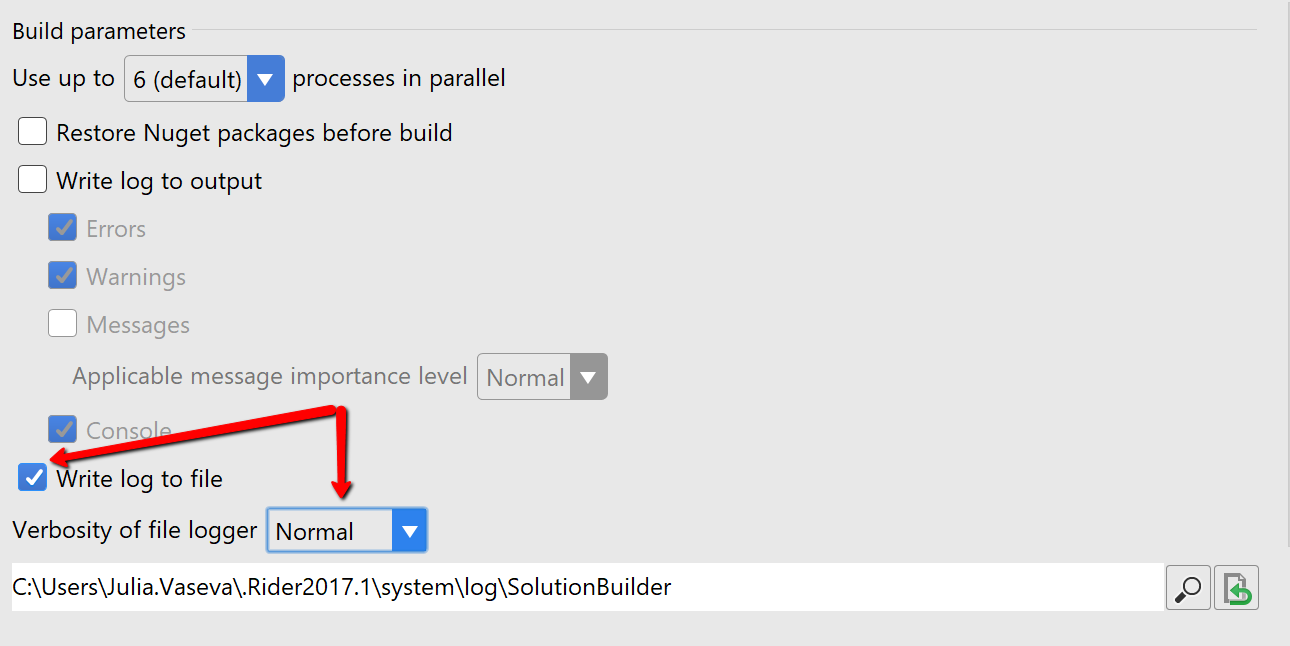
4. Turn on "Write log to file" checkbox and choose "Normal" verbosity. IMPORTANT: don't forget to turn off this checkbox when you collect all the logs.
5. Close Settings dialog.
6. In case you are on Mac/Linux then check your Mono version.
7. In case you have .Net Core project then check your .Net Core version.
8. Make some changes in the code and run your project.

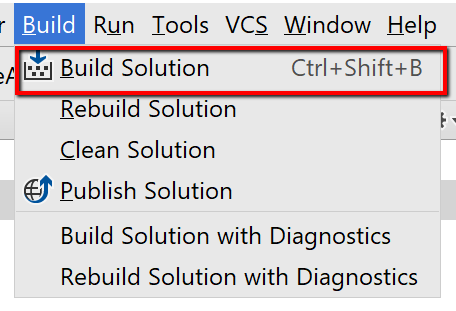
9. Make some changes in the code again and build solution via the menu on the top.
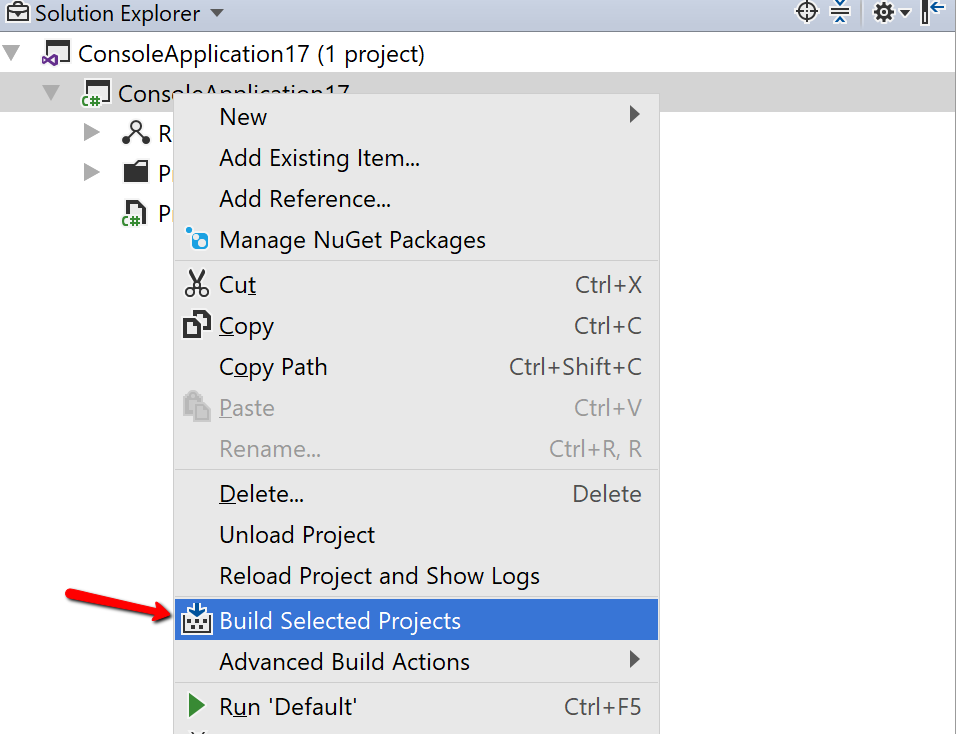
10. Make some changes in the code one more time and build selected project via Solution Explorer.
11. Go to 'Help -> Show Log in Explorer/Finder/File Manager'.
12. Zip all the log files in the folder and attach it to Support request or Youtrack ticket.
13. Turn off "Write log to file" checkbox (see step 2).
That is it - we will analyze the log files and see why the project doesn't run correctly. Thank you for your cooperation!
Please sign in to leave a comment.
Donatas Saulys wow, that really helped! Big cheers to you!
Great!
With the exception of this issue it's a great product, would be a shame if people would be missing out :)
I am still experiencing this issue with Rider 2022.3. When I change the code, then start the debugger, old code is hit. Very obvious with breakpoints set. Issue went away when turning off ReSharper build.
Update: I am still having those issues after all.
This problem has been bothering me as well. I find myself stopping my debugging session, cleaning and restarting my debugging session. If I don't clean in-between, my new code is not pulled in. When I forget to go through this process I chastise myself for not remembering to clean. It's a real time-suck. Ideally, I should be able to hit the restart button to stop-build-run in one go with all current changes incorporated.
For me, uninstalling and re-installing is not ideal. There are many people experiencing this issue and the source of the problem needs to be discovered and fixed. This issue has survived many upgrades.
That being said, I think I've found a solution.
Dave Cousineau had mentioned a scenario that I'll quote here:
If we look at the auto-generated run configuration for "Program" and edit the "build project" entry, we see something like this:
Setting this entry to "Program" instead of the default "Selected Project" seems to produce the desired behavior. Is there a bug with the "Selected Project" default setting?
Another issue with the "Build Project" setting is it doesn't seem to be observed when the "Store as Project File" option is selected. The correct value is present in the project file, but after pulling in updates on a colleague's machine, the "Build project" setting still had to be manually configured.