Unity Components don't Lint in Rider.
Answered

Hi,
Unity Components such as "OnTriggerEnter" don't appear in autocomplete in Rider.
I have Rider selected in Unity/Preferences/Externals Tools.
I don't have this problem using Visual Studio.
I'm on a Mac with BigSur version : 11.2.1
Rider version is 2020.3.2
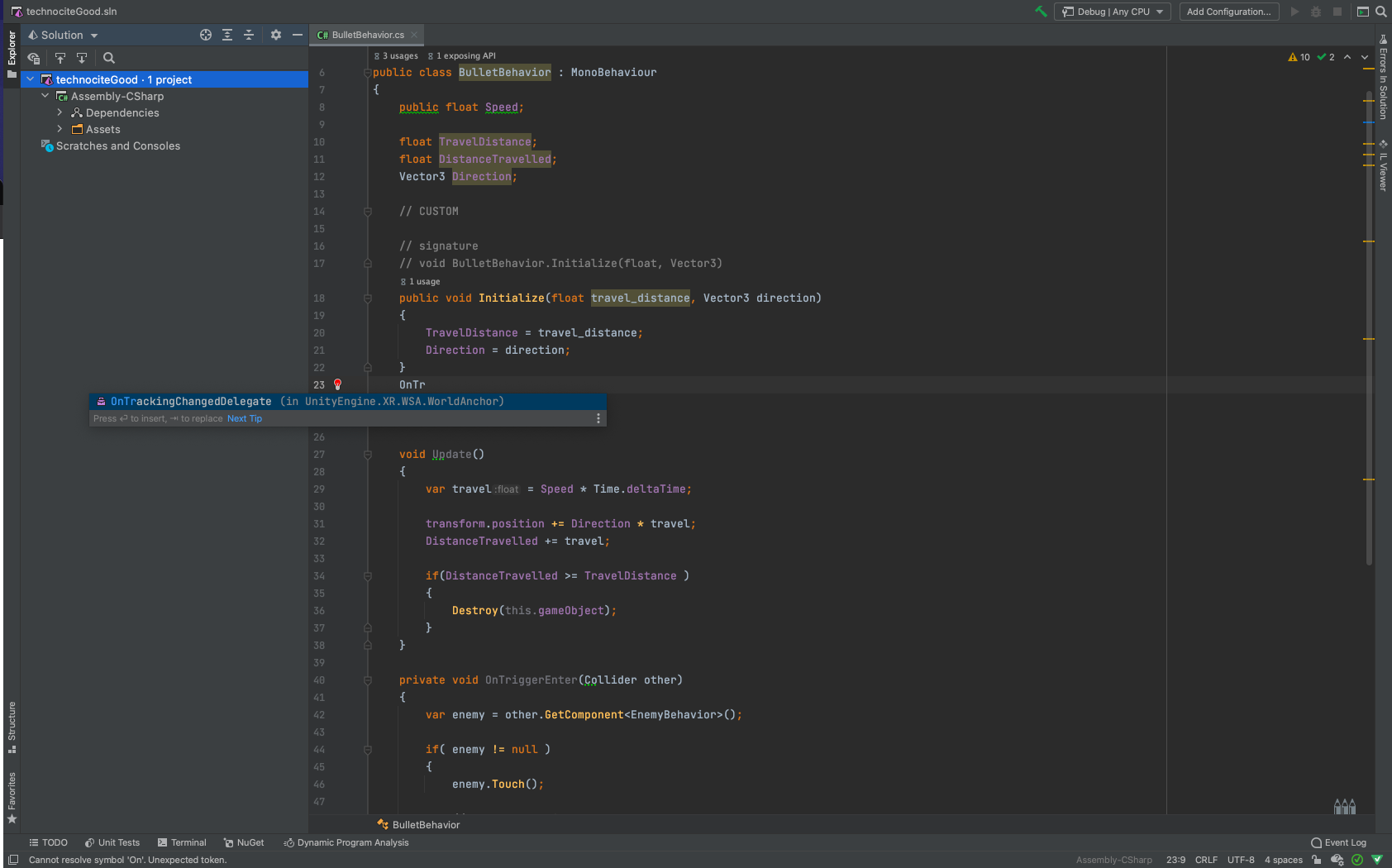
i have attach a screen to show that for example "OnTriggerEnter" doesn't appear in the lint list.
Could anyone help me plz ?
Please sign in to leave a comment.
Hello Adrien,
As far as I can see the project is not recognized as Unity one at all. Please try opening the project from Unity, option Open C# project in Rider: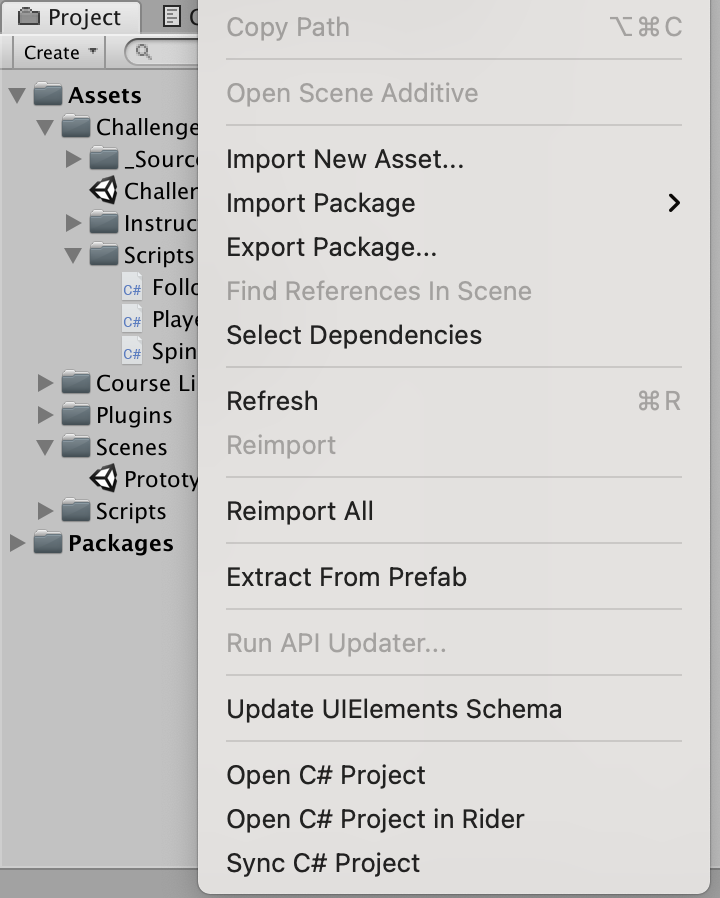
Then you should see Unity mark and see different option with communication with Unity editor.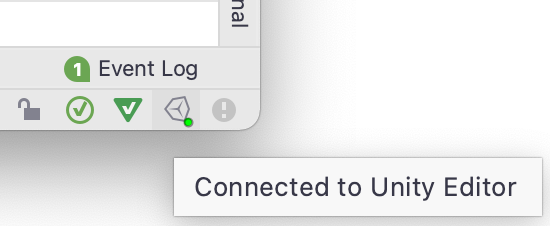
Please let me know if that helps.
Hello,
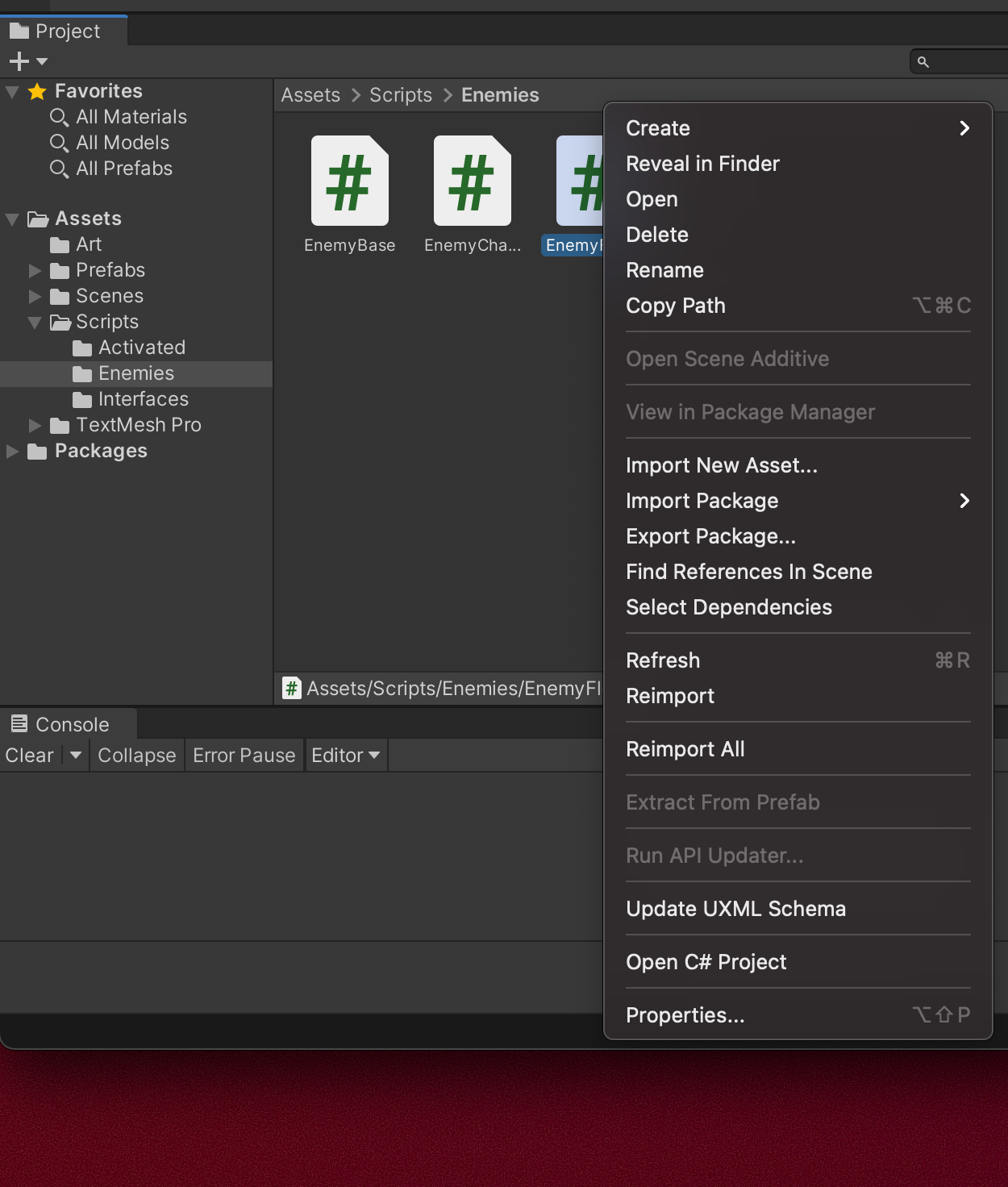
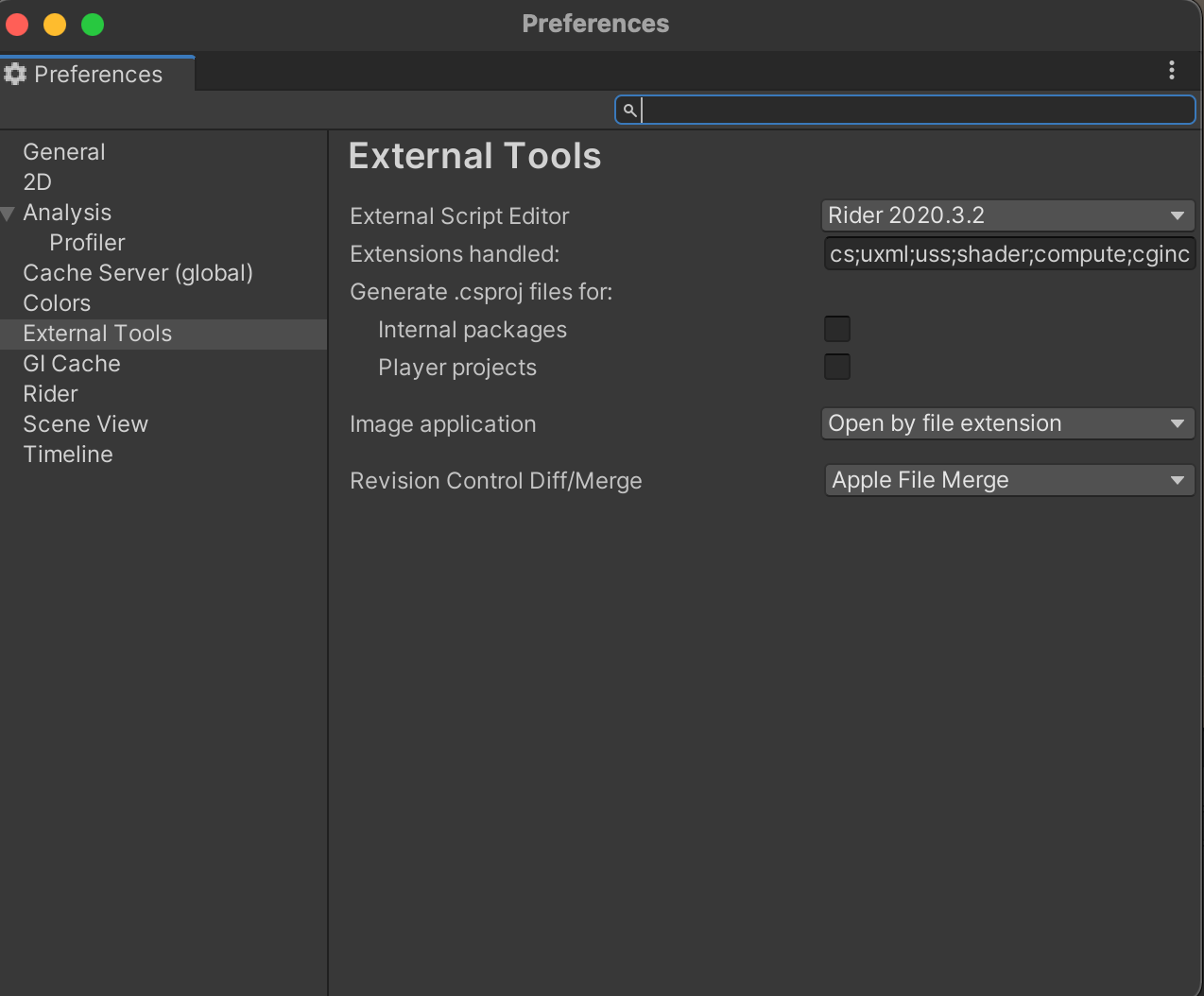
Problem is i don't have the option to open C# Project in Rider. [See the screenshot].
I only have : Open C# Project.
Thus, i can't see the Unity mark.
Here is the screenshot for the External Tools in Unity :
And if you just use option to open C# solution there, it should still open Rider since it is the default editor, does it work?
It Open Rider but Rider is still not connected to Unity.
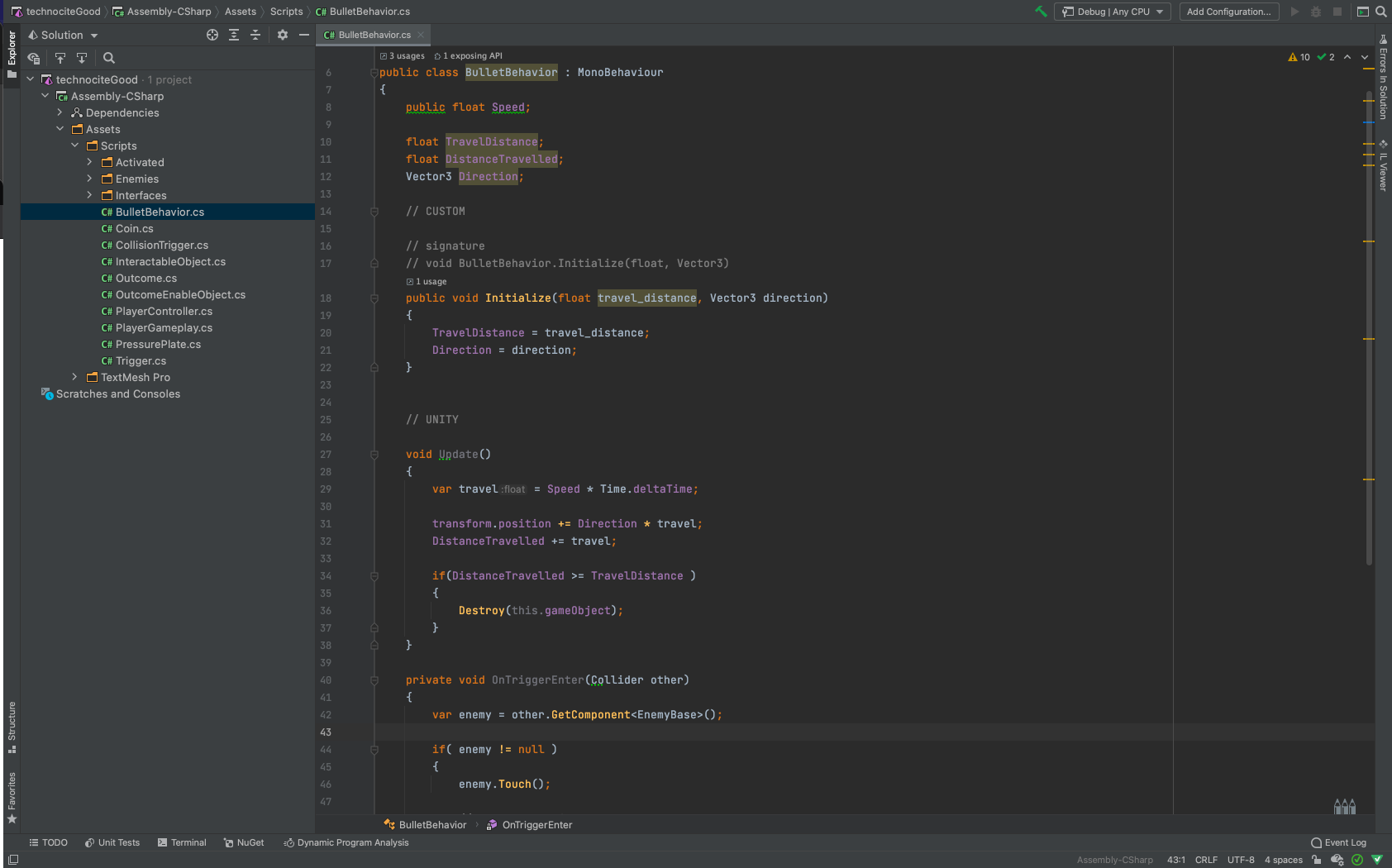
Here is a screenshot of Rider after i opened a C# Project in unity :
I still can't Use the Auto Complete for Unity Component.
Allright i found the problem : In Rider/Plugin, Unity support bundle wasn't activated. It solved my problem.
Glad to hear the reason was found :)